CRM User Registration
1. Open Website crm.nobox.ai
2. Log in with an existing account or register first by clicking [Register].
3. Enter your Name, Email Address, Password, and Company Information, then click [Register].
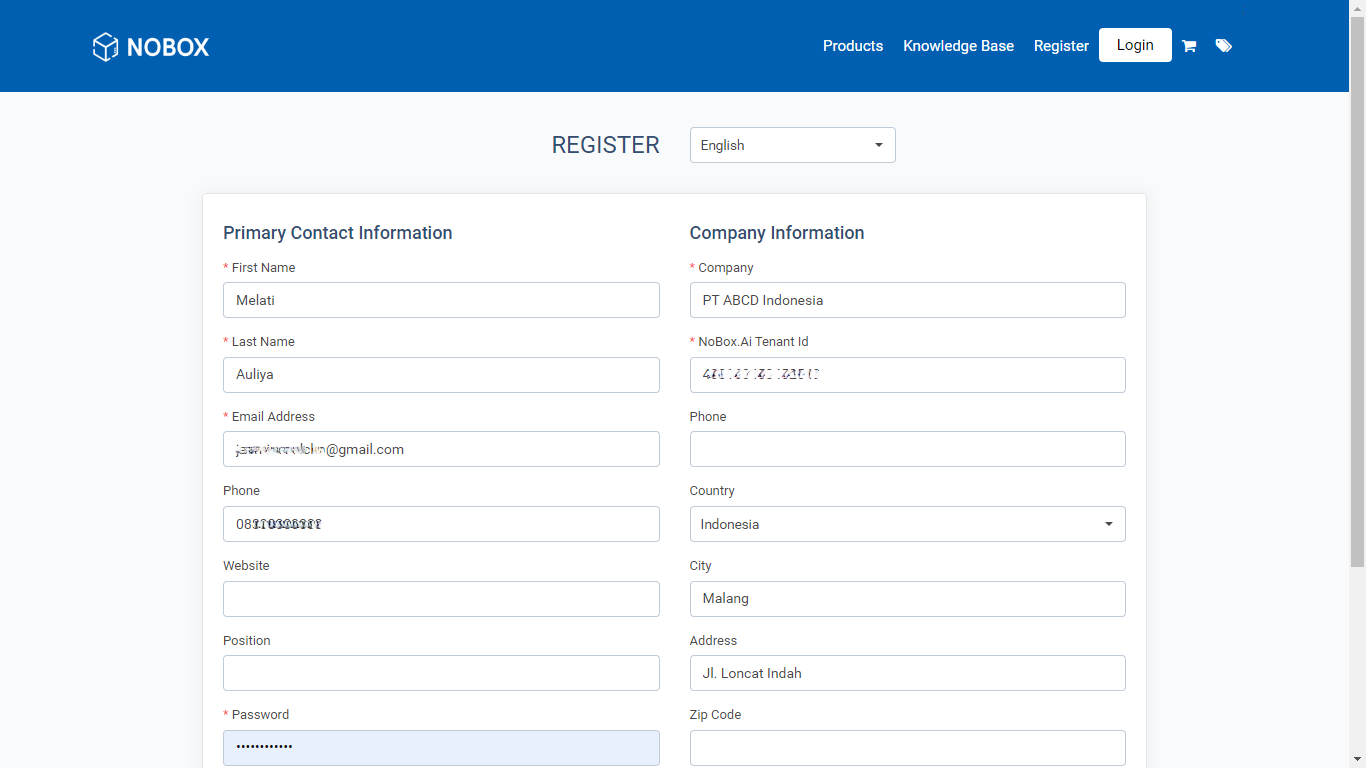
4. A notification will then appear indicating that the account verification has been sent via email.
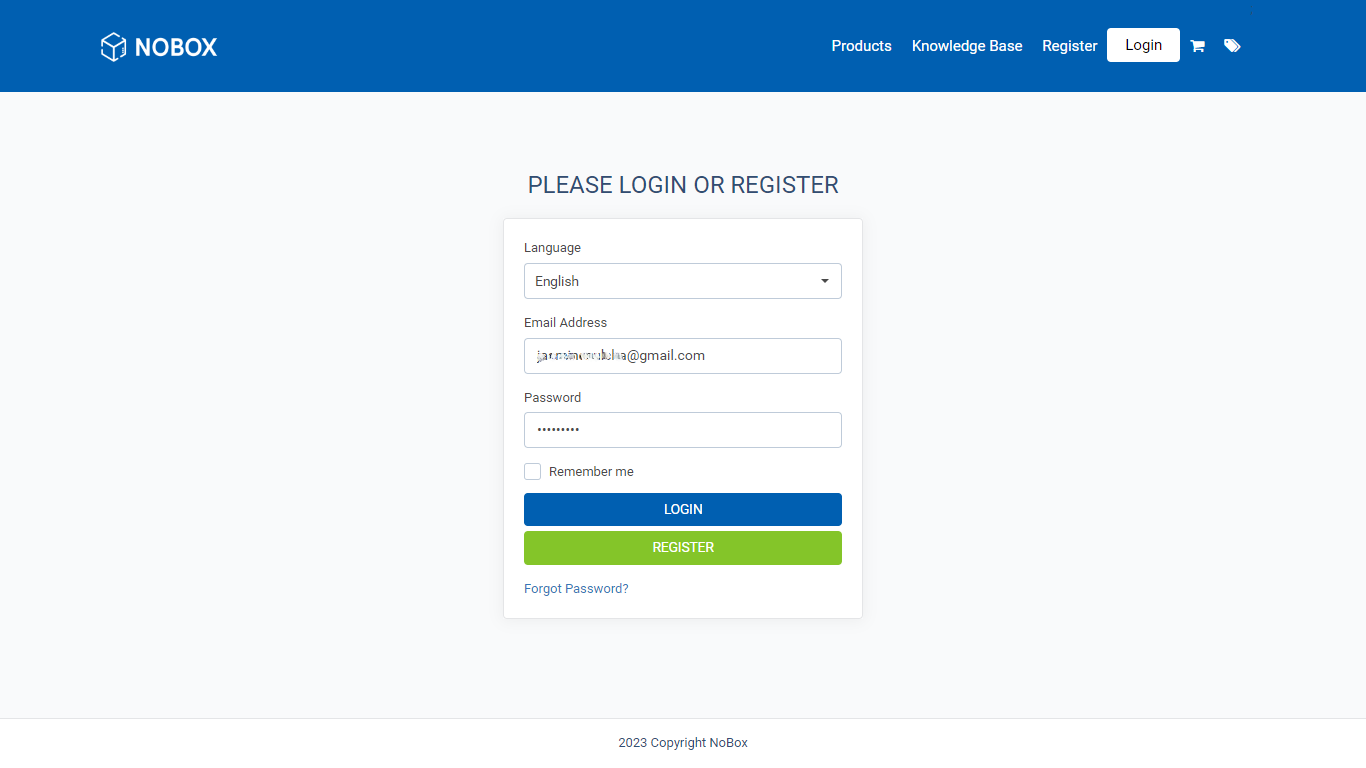
5. Access your email inbox, then click the verification link to be directed to the login page of the CRM NoBox.Ai website.
6. Next, enter the registered Email and Password to be directed to the main page of the CRM NoBox.Ai.
To subscribe, follow these steps: Subscriptions
If you encounter any issues or difficulties with NoBox, please contact us through Support Ticket