Update Profile
How to Update User Profile and Company Details
You can update your User Profile and Company Details. This article will explain how to do it.
User Profile
You can update your user profile to change your account information, enable email notifications, and change your password. Here's how to update your user profile:
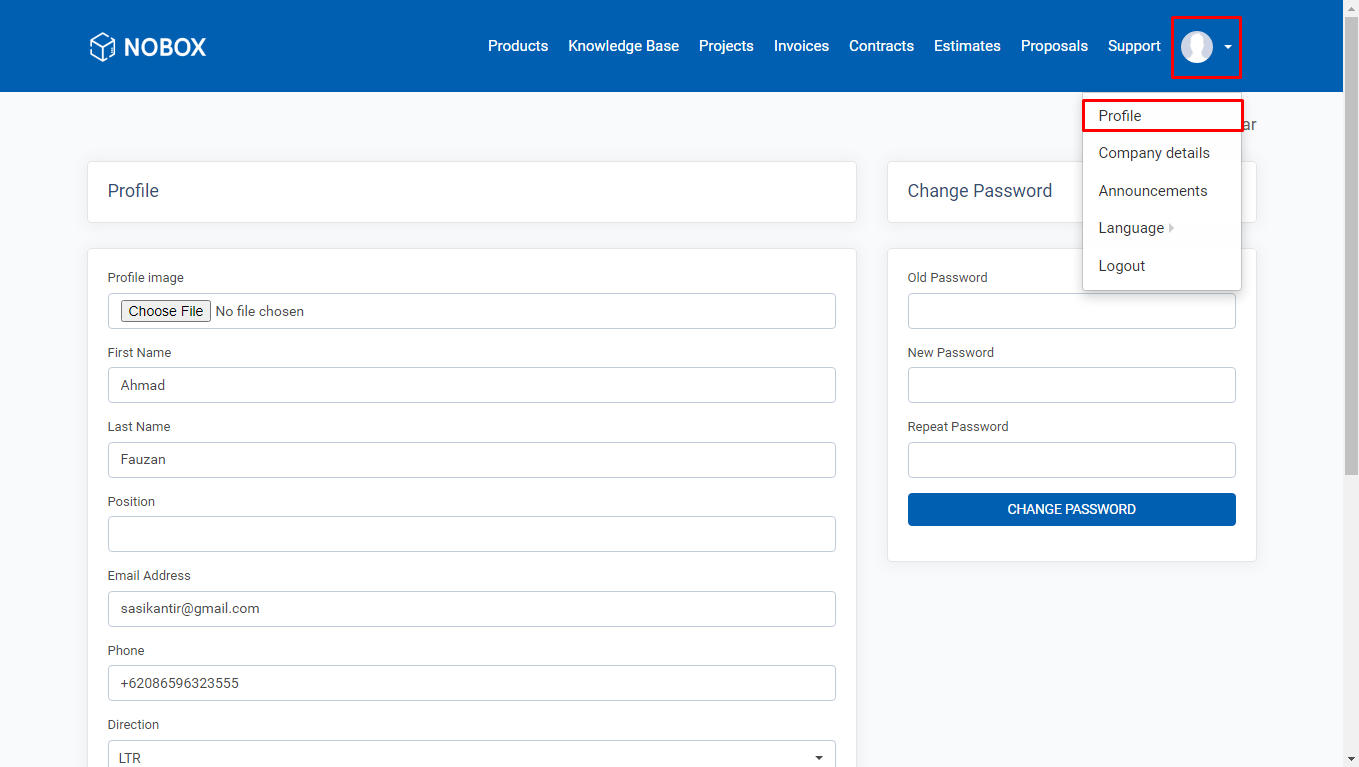
| Field | Description |
|---|---|
| Profile Image | Upload the profile picture you wish to use for your account |
| First Name | Your first name |
| Last Name | Your last name |
| Position | Your job position |
| Email Address | |
| Phone | Phone number |
| Direction | Navbar display LTR: Left To Right (displays from left) RTL: Right To Left (displays from right) |
| Old Password | Old password |
| New Password | New password |
| Repeat Password | Repeat new password |
- Click the user icon in the top right corner of the page.
- Click the [Profile] menu.
- Edit your information and click [Update] to save the changes.
Company Details
To learn and update company data information, you can follow the guide below:
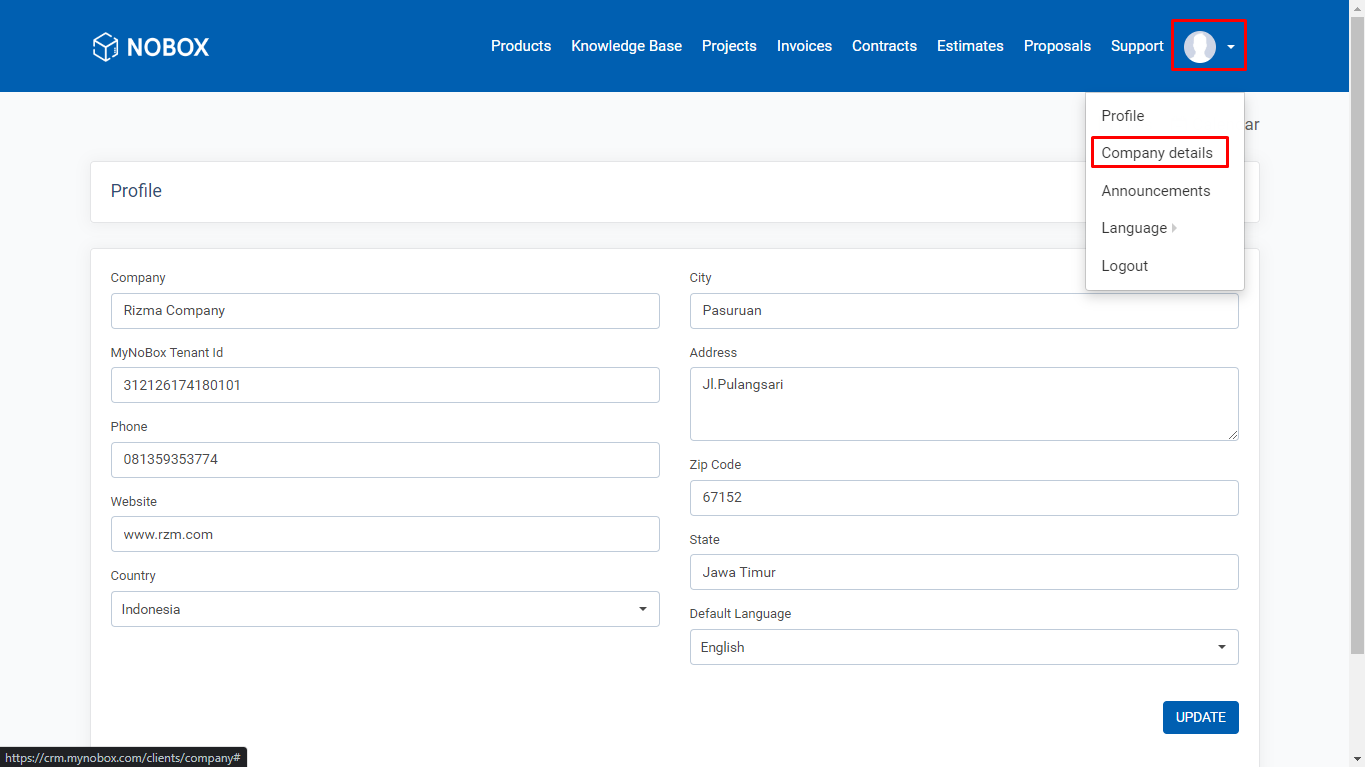
- Click the user icon in the top right corner of the page.
- Click the [Company details] menu.
- Edit your data and click [Update] to save the changes.
| Field | Description |
|---|---|
| Company | Name of the Company |
| City | Your Company's City |
| MyNoBox Tenant Id | Used to connect MyNoBox CRM and MyNoBox Website for subscription processes |
| Address | Full Company Address |
| Phone | Company Phone Number |
| Zip Code | Company Zip Code |
| Website | Company Website Name |
| State | City Name |
| Country | Country Name |
| Default Language | Language Used |
If you have any issues or difficulties related to Nobox.Ai, please contact us through Support Ticket