NoBox AI Display
Pada website NoBox.Ai memiliki beberapa tampilan umum yaitu :
Dashboard
Provides a real-time summary of activities, enabling you to make decisions more easily.
.png)
In the dashboard display, there are common features, each with its own function. The explanation of these functions is as follows:
| Features/Buttons | Function |
|---|---|
 | Filter data dashboard by year period |
 | Automatically refresh the dashboard data every 10 seconds. |
 | Displaying Help or Knowledge Base |
 | Display graph data in fullscreen mode. |
Board
One method in project management involves creating visualizations using boards, columns, and cards to effectively manage tasks and workflows.
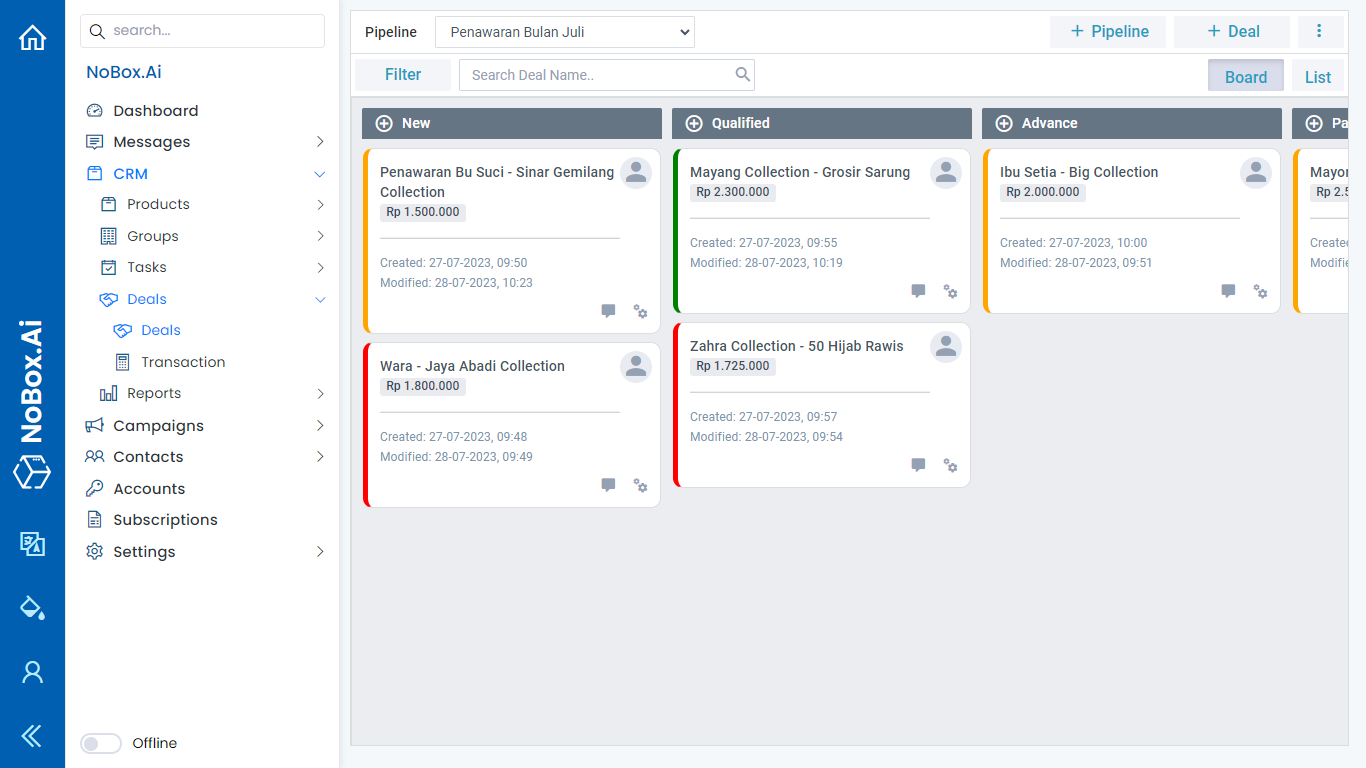
In a board view, there are common features each with specific functions. The explanation of these functions is as follows:
| Features/Buttons | Function |
|---|---|
| Pipeline | Select project data that has been created to be displayed on the kanban board. |
| Filter | Filter the board data based on the available data filters. |
| Search | Search for data using keywords |
| Board | Display workflow specifications |
Lists
Display containing a list of data that has been created in certain menus.
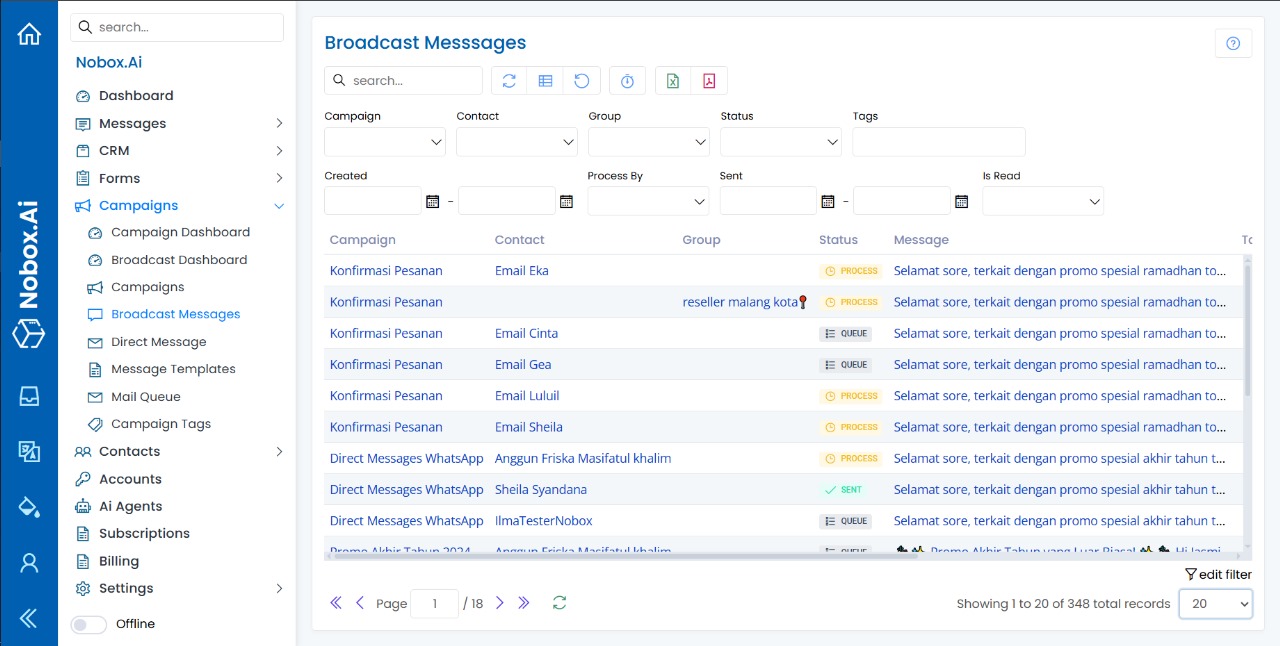
In a list view, there are common features that serve specific functions. The explanations of these functions are as follows:
| Features/Buttons | Function |
|---|---|
 | Data search according to keywords |
 | Refresh data |
 | Displaying or Hiding Columns in a Grid |
 | Return the column display to its default view. |
 | Export data in Excel or PDF format |
.png) | Automatically refresh the dashboard data every 10 seconds. |
| Displaying Help or Knowledge Base |
 | Filter data according to the filter title |
Forms
A display used for adding new data or editing existing data.
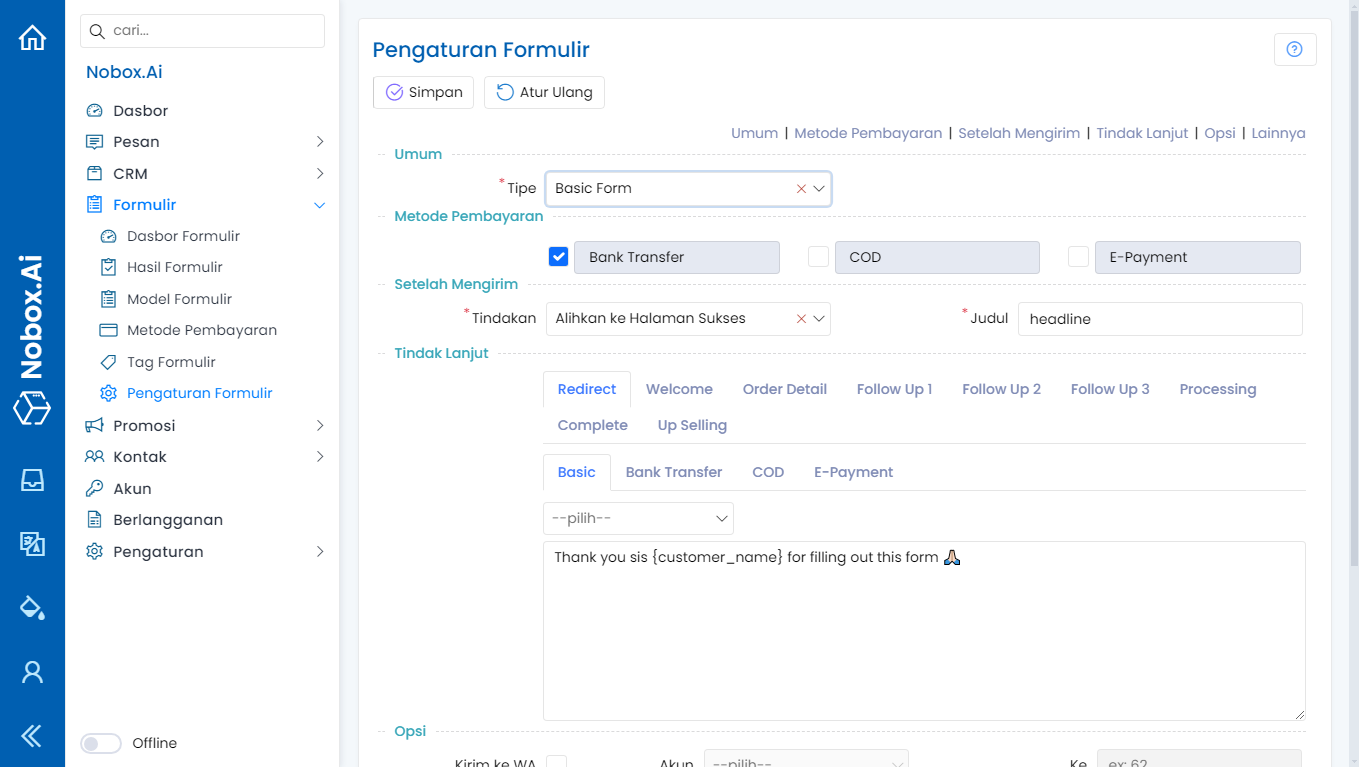
In the form view, there are common features each with their own specific functions. The explanation of these functions is as follows:
| Features/Buttons | Function |
|---|---|
| Group | Grouping several entries according to their sections |
| Save | Save newly added or edited data. |
| Continue | Save newly added or edited data without closing the dialog. |
| Delete | Delete data |
If you encounter any issues or difficulties regarding NoBox.Ai, please contact us through Support Ticket