Contact Tags
The Contact Tag is a feature in Nobox.Ai used to categorize your contact data.
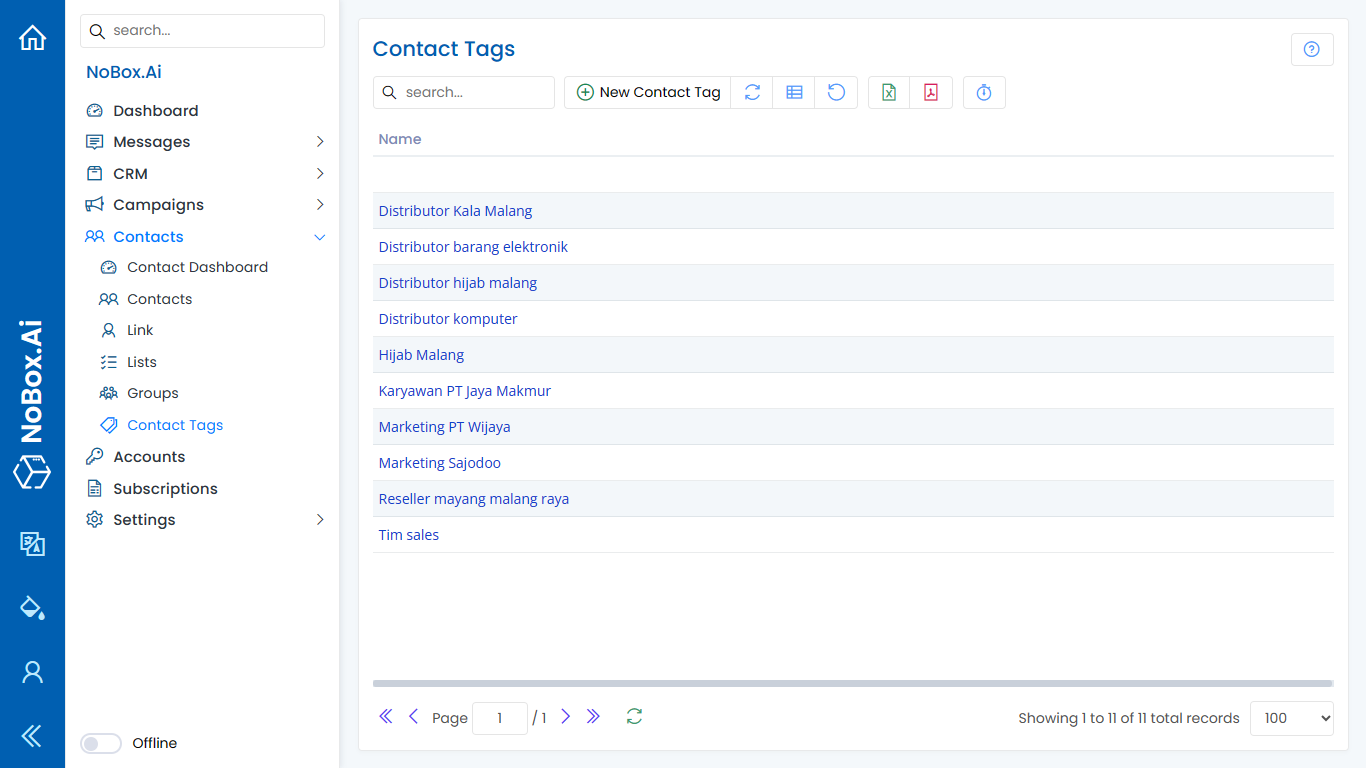
New Tag
To create a data tag, click the menu [Contact Tag] ➔ [New Contact Tag]. A dialog [New Contact Tag] will appear, then enter the name of the tag to be created.
If you have completed the form, click [Save] to store the new tag data you just created.
Edit And Delete Data Tag
To edit a tag data, please select the data you wish to edit first. Make your edits and click [Save] to save the changes.
To delete a tag, select the tag you want to remove, then click [Delete]. A confirmation dialog will appear asking if you want to delete the data. If yes, click [Yes] if not, click [No].
How to Use Contact Tags
1. Go to the [Contacts] menu, select an existing entry or add a new contact.
2. Click on the Tag column field to display previously created tags.
3. Select one or more of the tag data and click [Save] to store the contact information again.
.png)
Filter Tag Contact
The contact tag filter is used to sort contact data and display it based on the selected tag. Here's how to filter contact data:
- Open the [Contact] menu, click the Tags filter, and choose the tag data you want to search. The filtered data will be displayed.
.png)
If you have any issues or difficulties related to Nobox.Ai, please contact us through Support Ticket