Company Targets
Company Target is a feature in Nobox.Ai used to set a marketing target for a company each month.
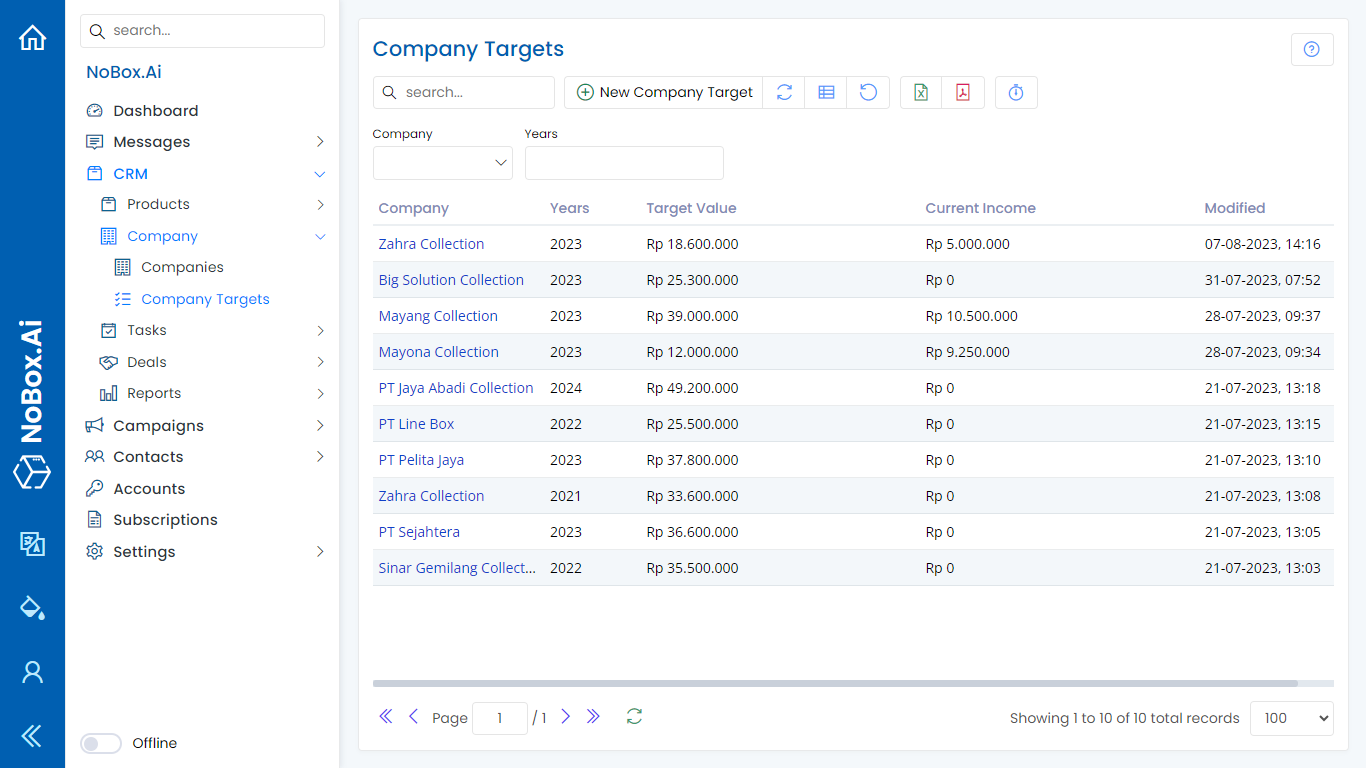
Add Company Target Data
To create company target data, click the [CRM] module, then select the [Company] menu and click [Company Targets] ➔ [Add Company Target]. A dialog box titled [Add Company Target] will appear; fill out the fields in this dialog.
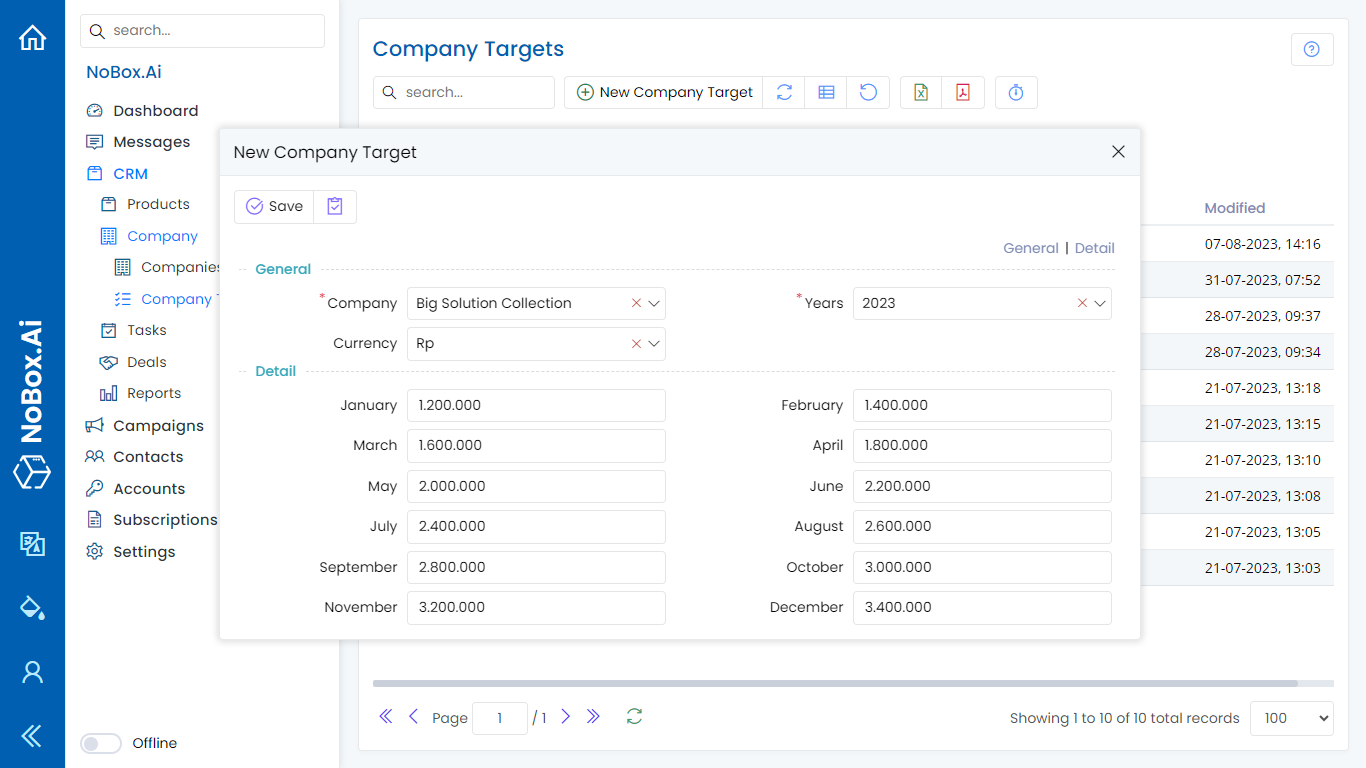
| Entry | Description | Example |
|---|---|---|
| Company | Select Company | PT SEJAHTERA |
| Year | Select the Target Year | 2024 |
| Currency | Select Curency | Rp |
| January - December | Fill in marketing targets | 1.200.000 |
Once you have completed all the fields, click [Save] to store the new company target data you have just created.
Edit and Delete Company Target Data
To edit a target company’s data, please first select which data to edit. Edit your data and click [Save] to store the changes.
To delete a company's target data, select the target data you want to delete, then click [Delete]. A confirmation dialog will appear asking if you want to delete the data. If yes, click [Yes]; otherwise, click [No].
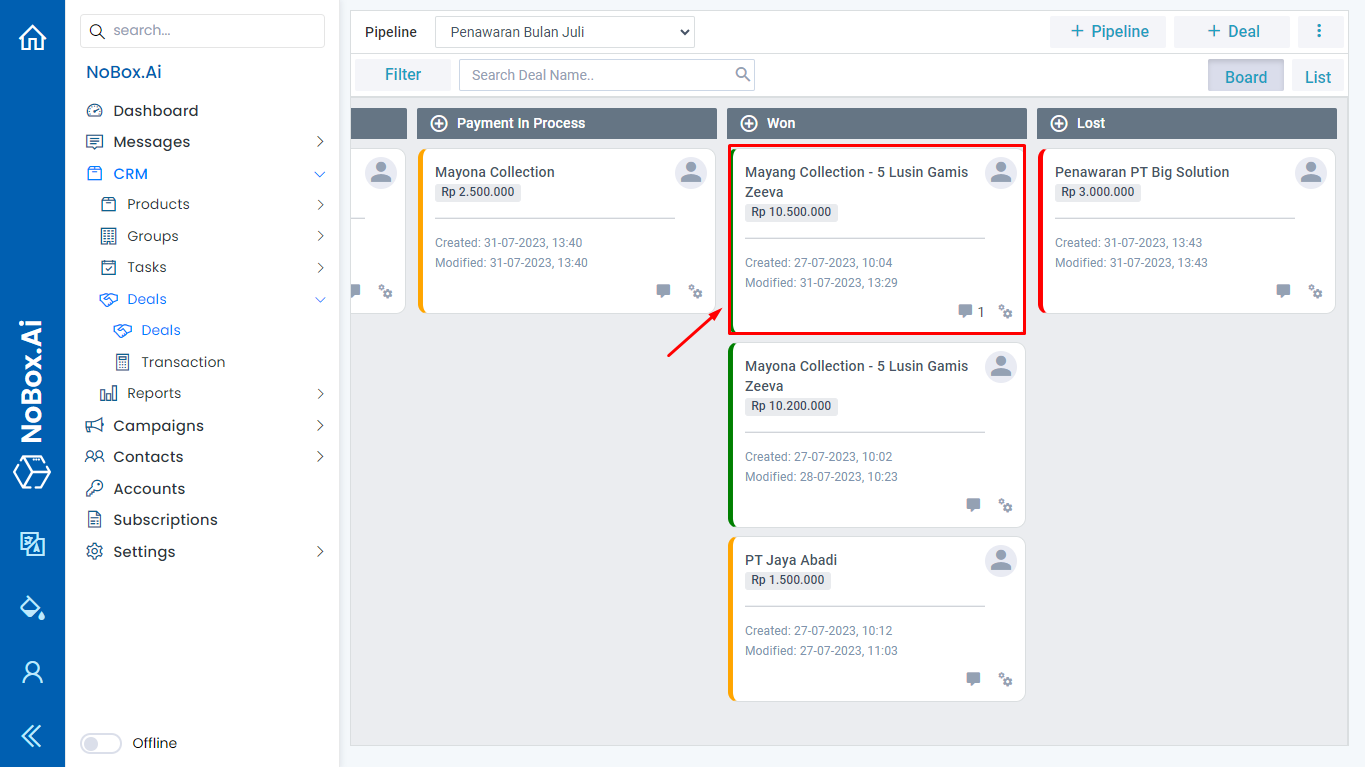
The current revenue will be displayed when the offer associated with the company reaches the [Won] status. Example: For the PT SEJAHTERA offer, where the bid price is 18,000,000 and has reached the Won status, the target company's goal will display data amounting to 18,000,000.
If you encounter any issues or difficulties related to Nobox.Ai, please contact us at Support Ticket