Form Results
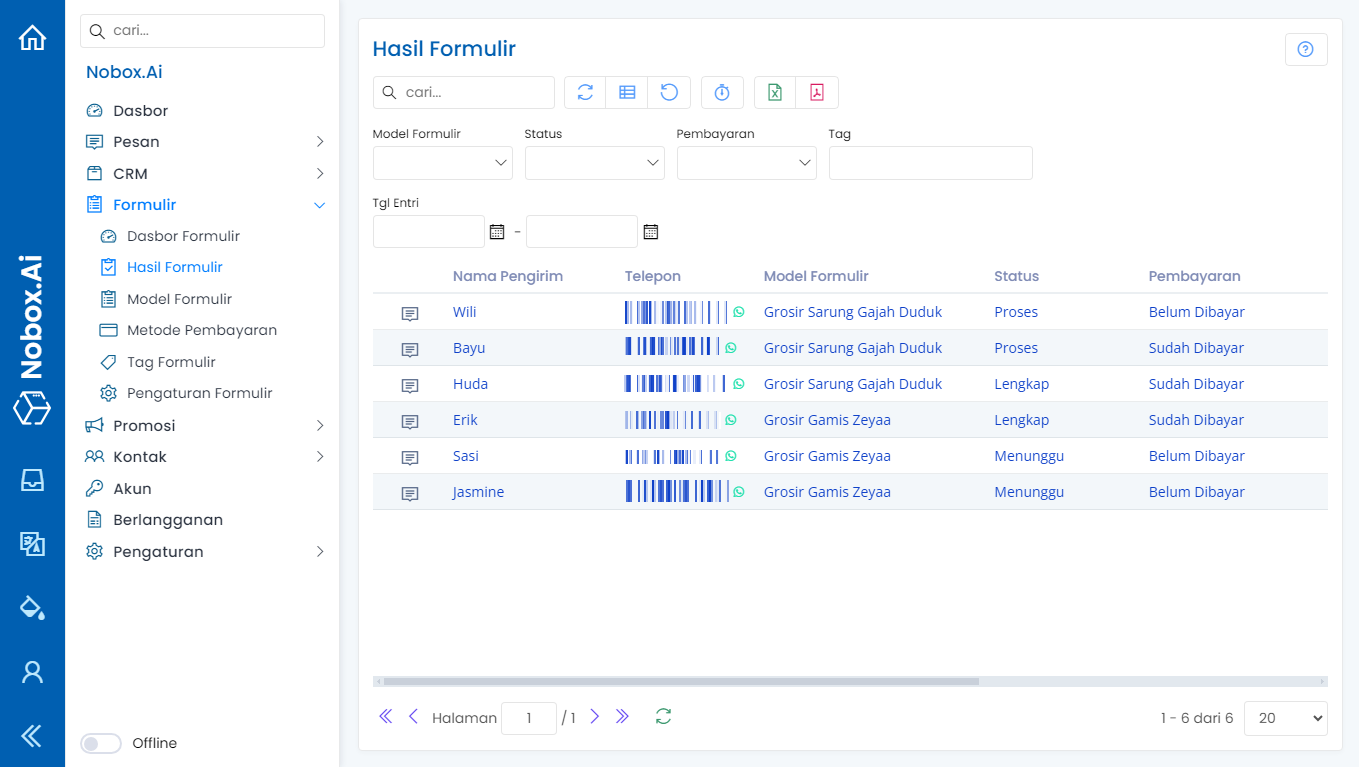
The "Form Results" menu in NoBox is used for managing form data results.
Product Handling
To handle the product, click on the [Form Results] menu and select one data result from the order form type. The detailed form results will then be displayed.
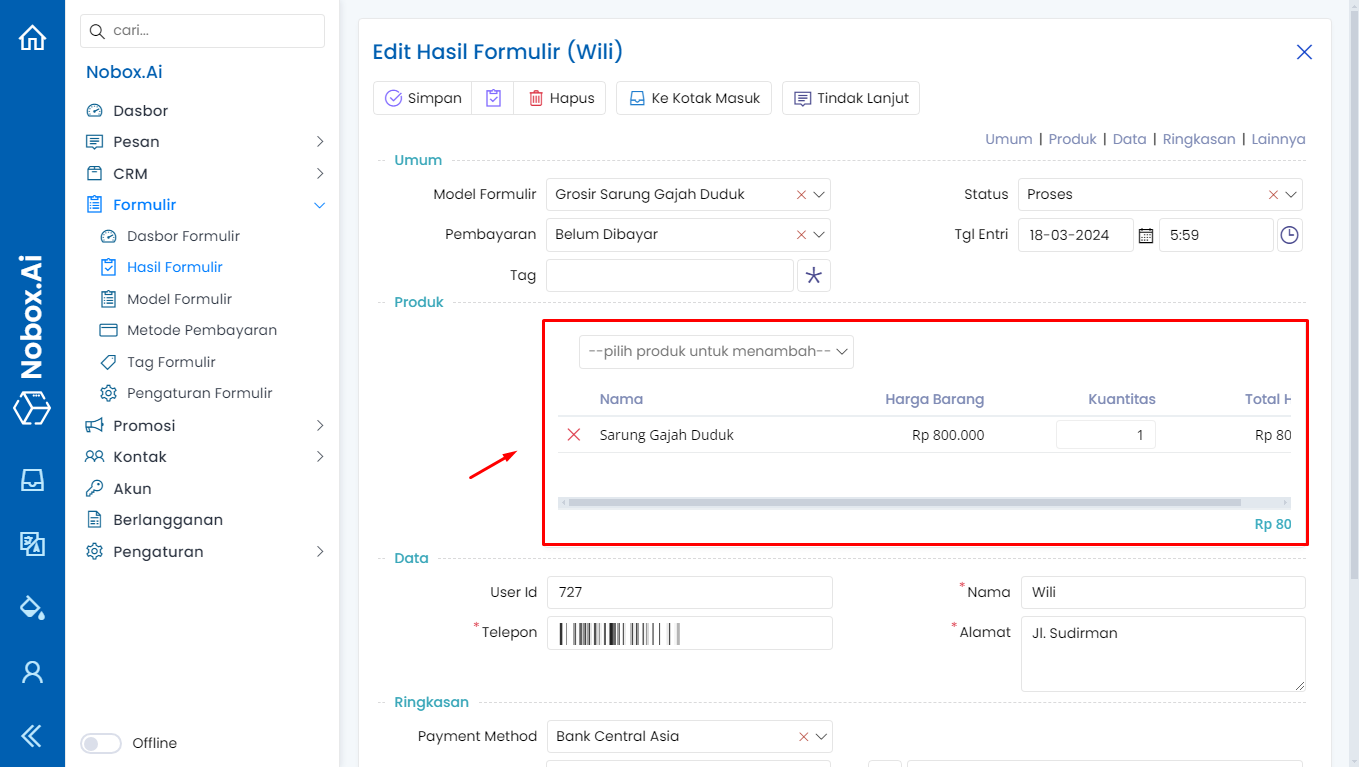
You can add the products you want to purchase in the product section, remove products you decide not to buy, and adjust the quantity according to customer requests. Once done, click [Save] to save the changes.
Handling Additional & Reduced Costs
You can track the additions and reductions in costs in the form data as follows:
- Select one of the form data entries.
- In the Summary section, fill in the additional costs; for example, enter shipping with an amount of 75,000.
- Fill in the reduced costs; for example, enter a discount with an amount of 25,000.
- The total will automatically be calculated.
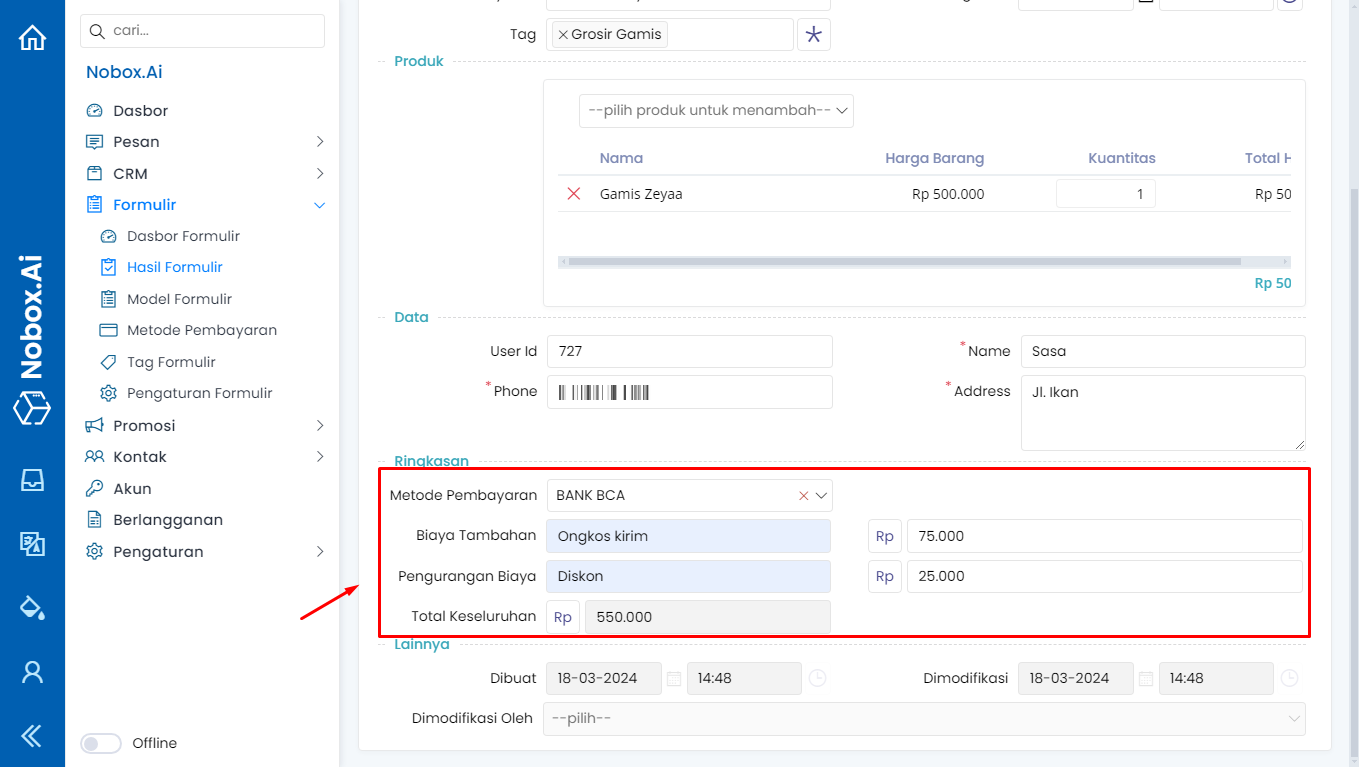
Click [Save] to store the changes.
Handling Follow-up Actions
You can send a message to customers to confirm their order by:
- Select one form data entry
- Click the [
.png>)] icon
- Select the follow-up category, a preview message will appear. For follow-up data, it will automatically align with the customer's order data, but you can also modify the information.
- Click [Send] to dispatch the Follow-Up message

The message results will be sent via WhatsApp or Email according to the delivery settings in the Form Model, and the message results will be as follows.
Update Payment Status of Form Results
To facilitate tracking form results when customer service receives a payment, you can change the payment status in the form results. Select one of the form result entries to change the payment status, then click [Save] to apply the changes.

Perbarui Status Penjualan Hasil Formulir
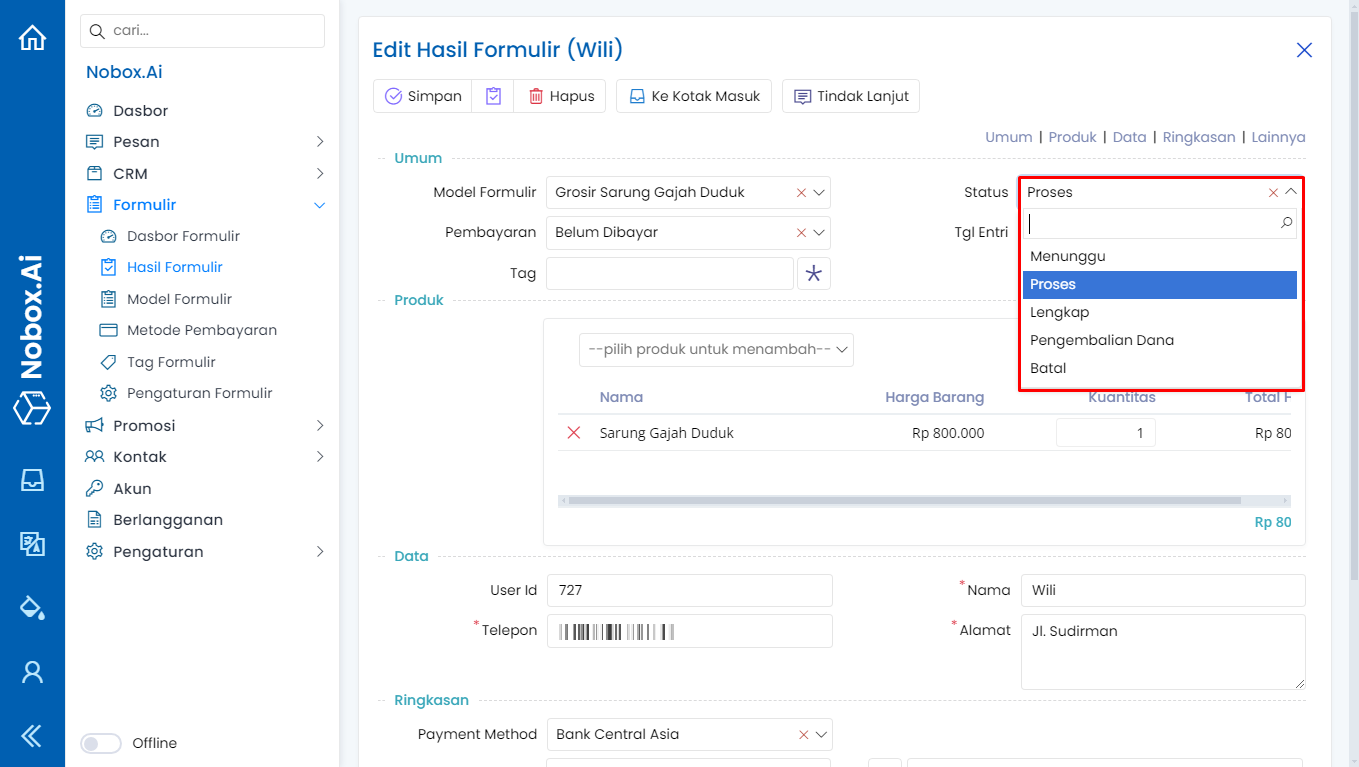
Untuk memudahkan monitoring data hasil formulir ketika proses penjualan sudah sampai mana cs dapat perbarui status dengan cara pilih salah satu data hasil formulir ganti status formurlir, Jika sudah klik [Simpan] untuk menyimpan perubahan tersebut.
If you have any issues or difficulties related to Nobox.Ai, please contact us through Support Ticket