Store Affiliate and How to Order
Store Affiliate
An affiliate store is a collection of products sold by an affiliate.
 | The basket is used for the management of selected products. |
 | Products for sale |
 | Used for managing your order list. |
 | Search is used for product lookup. |
.png) | Display all products |
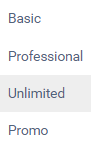 | Display products per category |
How to Order
To order products, first you must log in/register. After that, click [Add To Cart] to select the products you wish to purchase. The selected products will be added to the shopping cart.
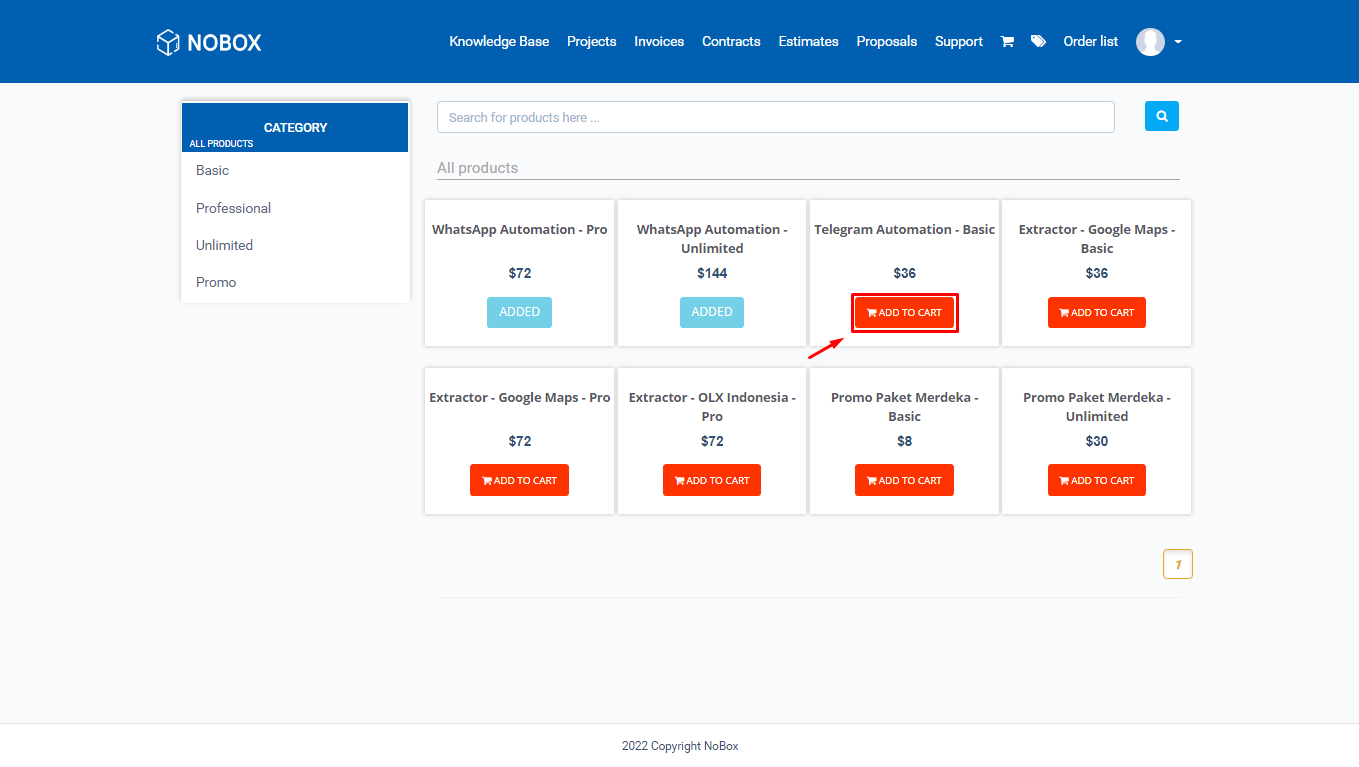
To proceed with the order process, click the shopping cart. In the shopping cart section, you will find a list of selected products. Click the icon [
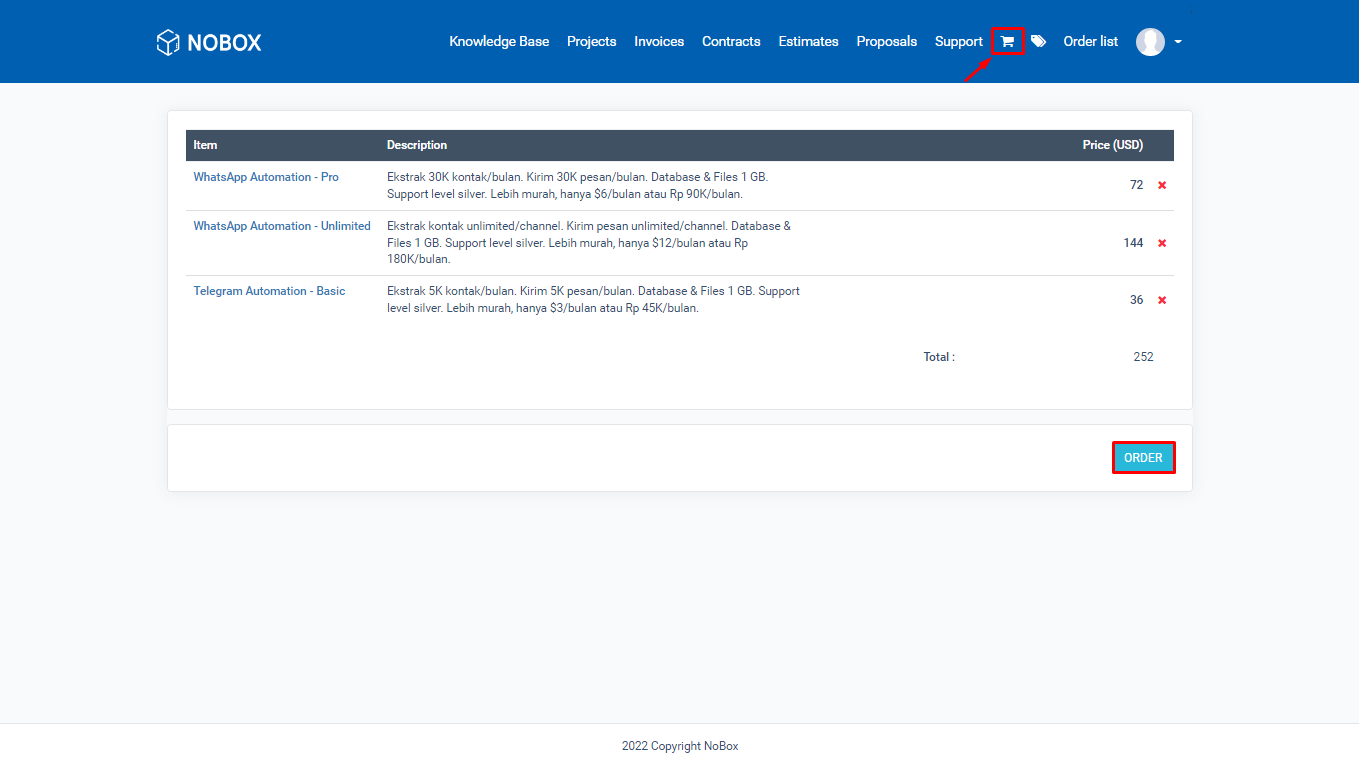
Next, you will be directed to the order details page. Here, customers can change the [billing & shipping] address, payment method, and add notes.
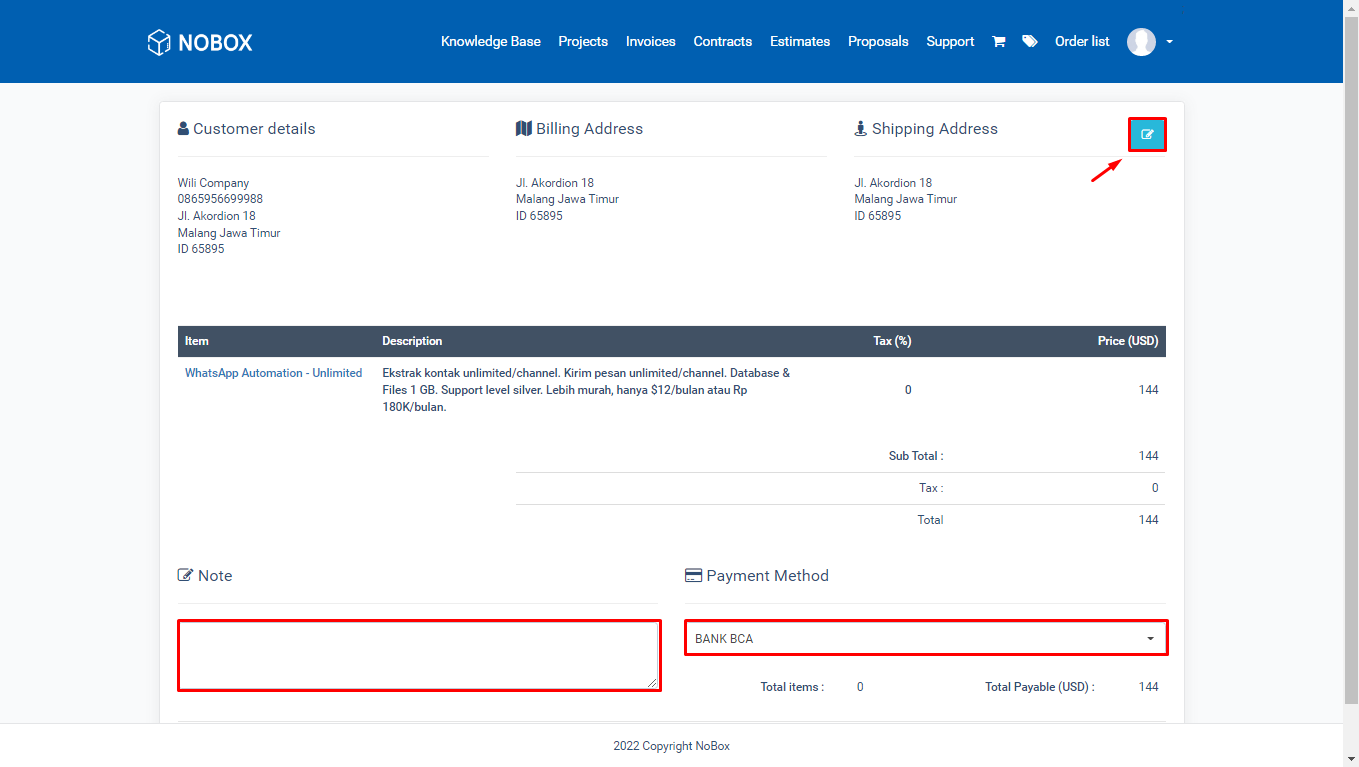
Then click [Order] to create the invoice, and you can proceed with the payment process according to the chosen payment method.
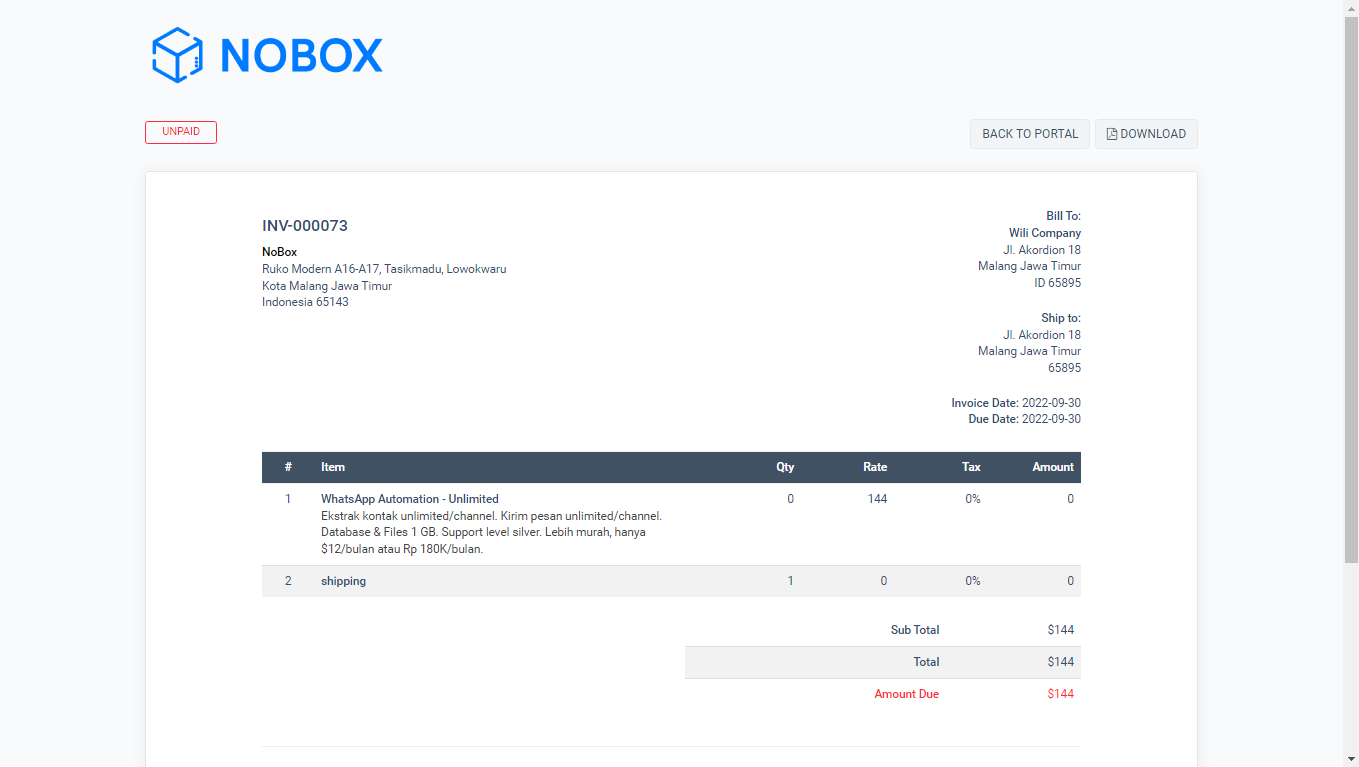
To monitor your orders, check the [Order List] section in the menu.
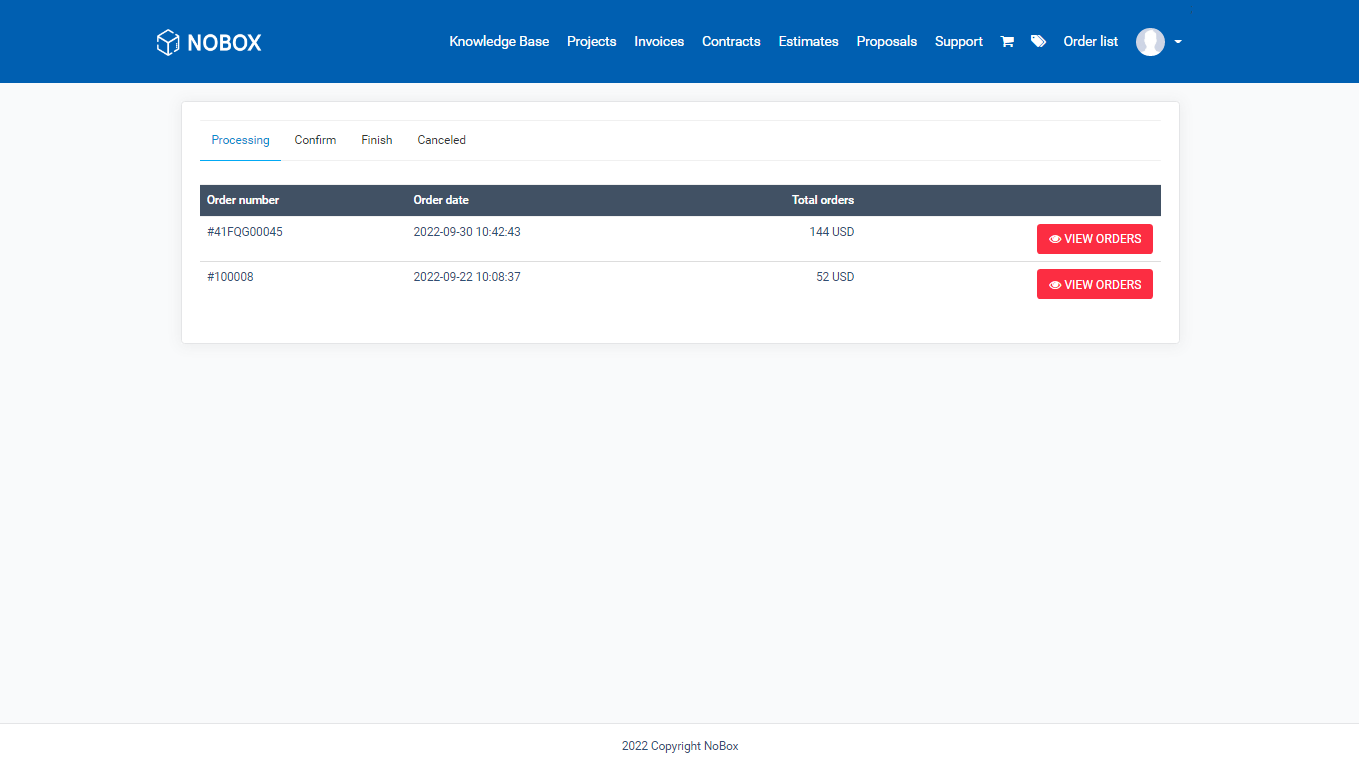
| Status | Description |
|---|---|
| Processing | Your order is still being processed |
| Confirm | Your order has been confirmed |
| Finish | Your order is complete |
| Canceled | Your order has been canceled |
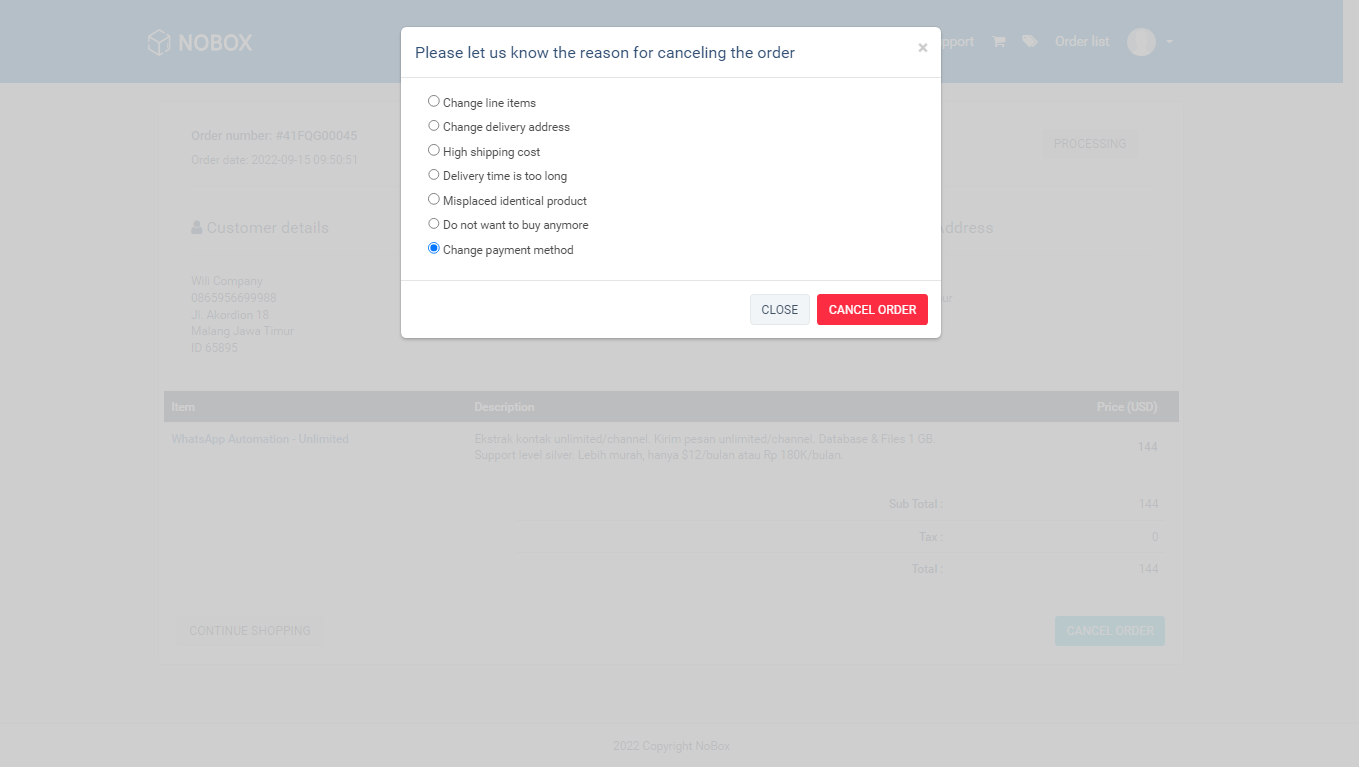
To cancel an order, click [View orders] on the [Processing] tab ➔ Click [Cancel Order], then a dialog box will appear with cancellation reasons, select one ➔ click [Cancel Order] and the order will be successfully canceled.
If you have any issues or difficulties related to Nobox.Ai, please contact us through Support Ticket