Forgot Password
This feature can assist you if you forget your password when logging into the website id.nobox.ai. Here's how to do it:
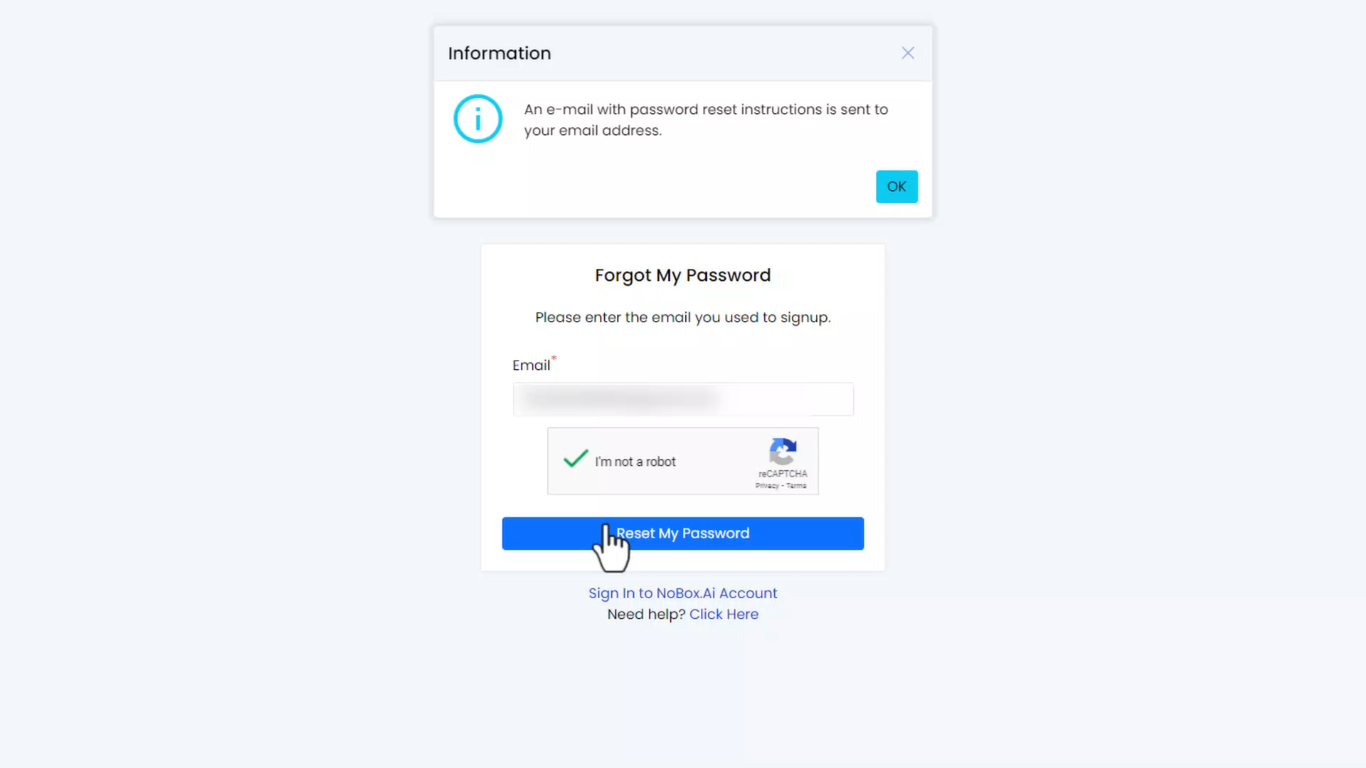
- Click [Forgot Password] on the login page ➔ enter your email address and check the reCAPTCHA.
- Click [Reset My Password] and a password reset notification will be sent to your email.
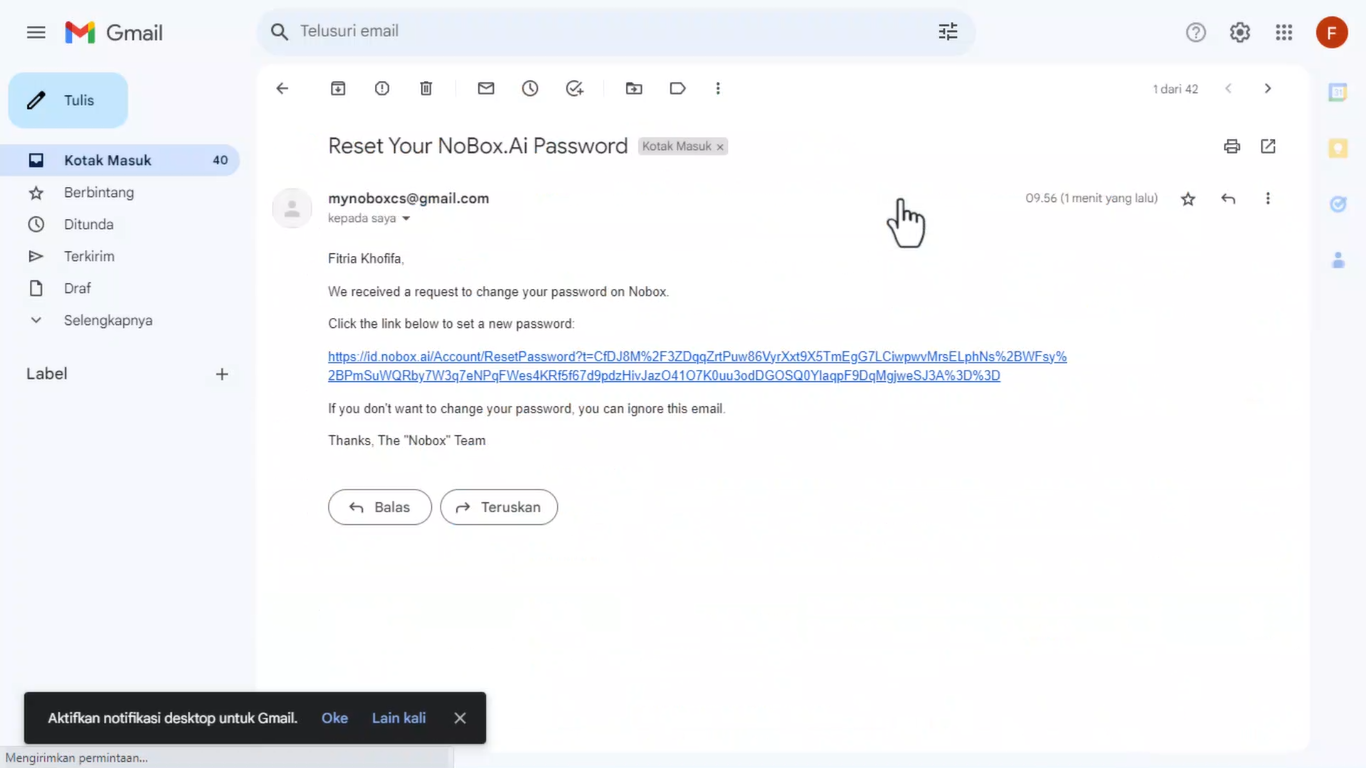
- Check your email inbox and click the link, which will direct you to the password reset page.
- Enter your new password and confirm it by re-entering the password in the confirm password field.
- Click [Reset My Password] and a pop-up will appear notifying you that your password has been successfully changed.
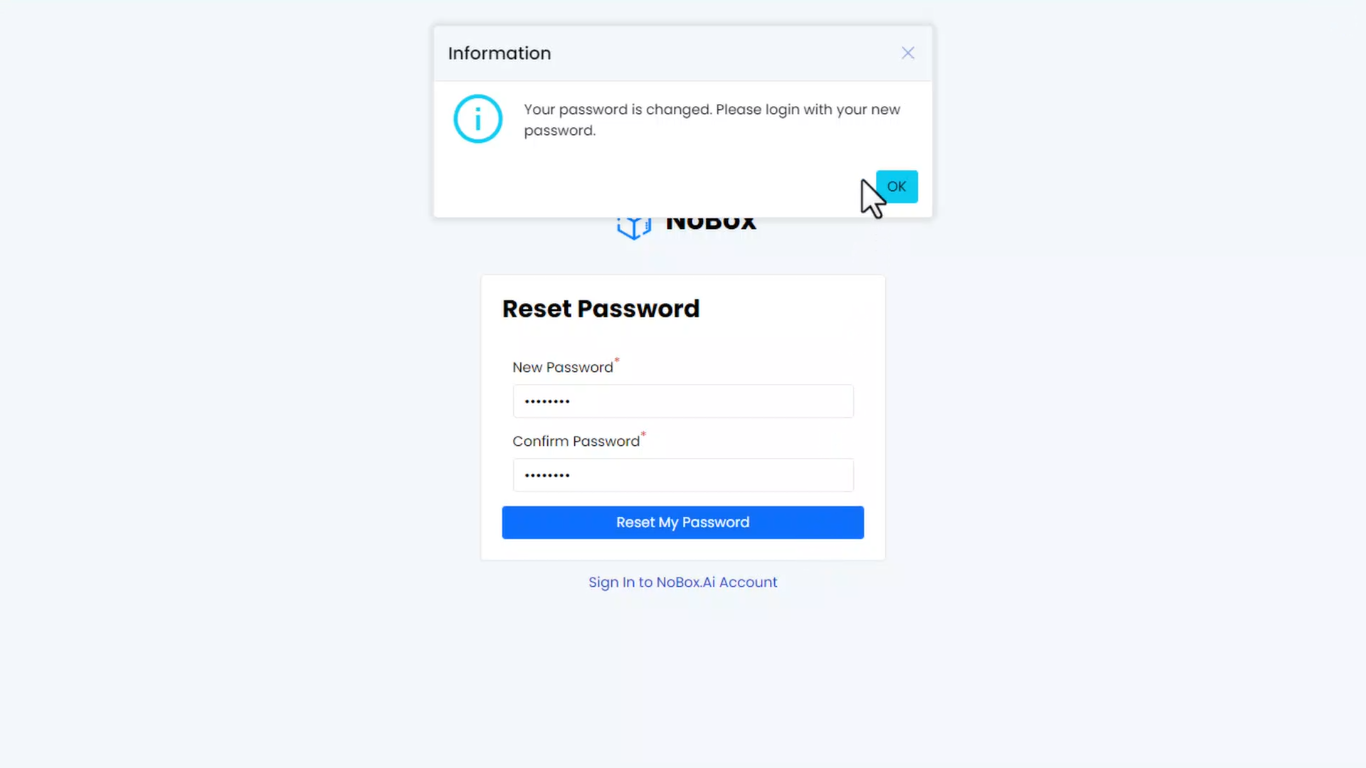
- Click [OK] to go to the login page of the website id.nobox.ai
- Please log in with your new password.
If you have any issues or difficulties related to Nobox.Ai, please contact us through Support Ticket