Dashboard
Summary of activities related to Nobox.Ai that can help you make decisions.
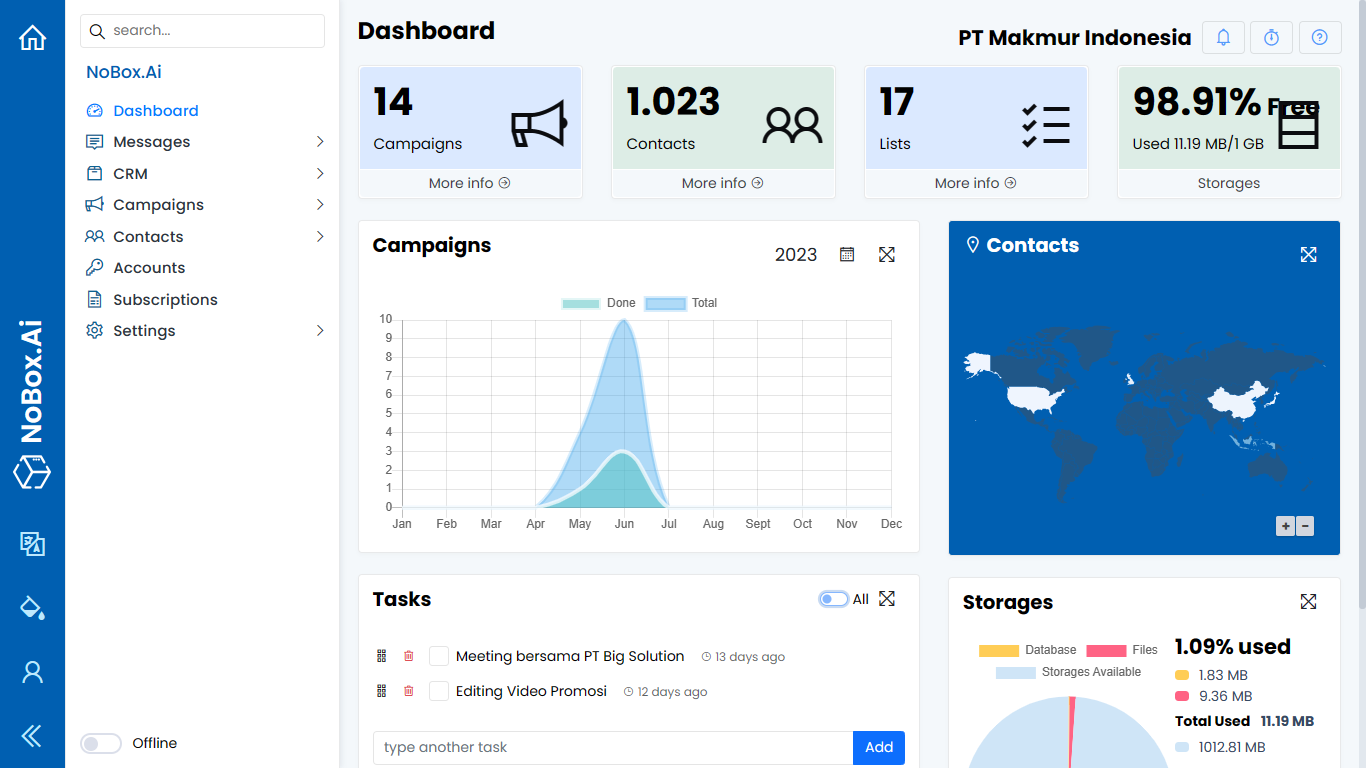
On the interface, there are several sections, each with its specific function. The explanation of these functions is as follows:
| Features/Buttons | Function |
|---|---|
| Campaigns | Information on total promotions and a data chart with an annual period. |
| Contacts | Information on total and display of contact data in the form of maps according to contact location. |
| Lists | Total data lists |
| Storages | Information about the percentage and details of database usage, file storage, and available space. |
| Tasks | Add tasks/notes to be completed, display all tasks, mark tasks as completed, delete tasks. |
If you encounter any issues or difficulties related to Nobox.Ai, please contact us through Support Ticket