Products
The product is one of the menus on NoBox.Ai used for managing the data of products being sold.
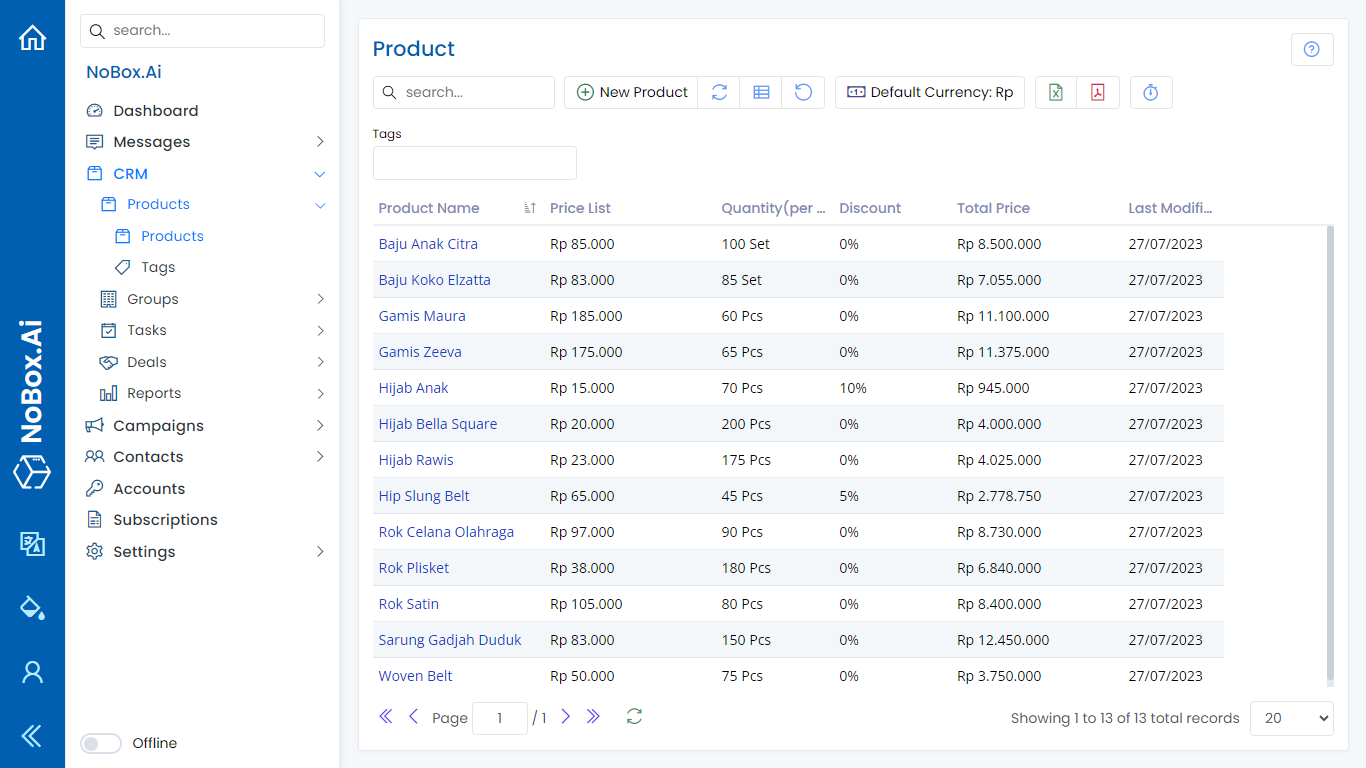
Add Product
To create product data, click the [Product] ➔ [Add Product] menu. The [Add Product] dialog will appear, then fill in the fields available in the dialog.
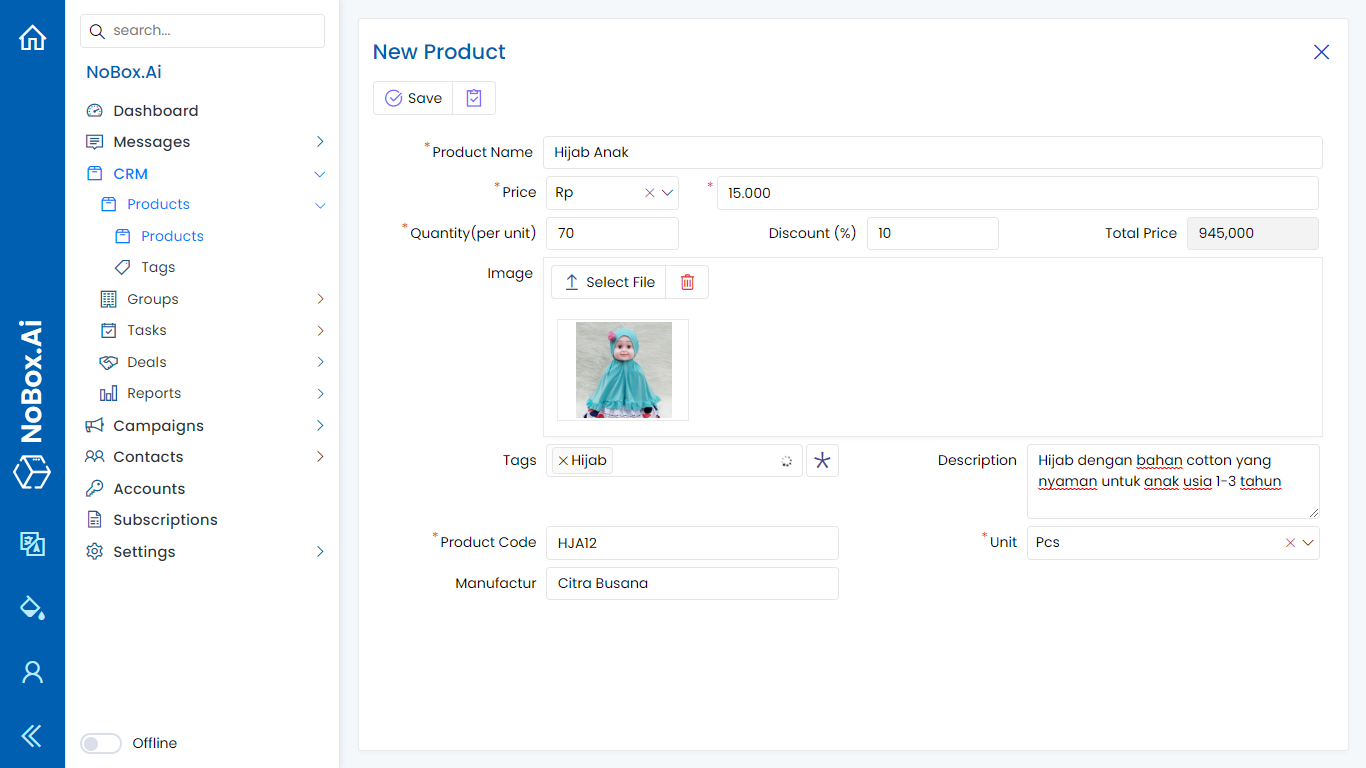
| Name | Product name | Decorative lights |
|---|---|---|
| Product Code | Product Code | 00010 |
| Unit | Product Unit | Pcs |
| Currency | Currency and Price Nominal | Rp.15.000 |
| Discount | Discount for Product | 15 |
| Selling Price | The result of the discounted price | 12.750 |
| Manufacturing | Product industry Name | |
| Tag | Product Tag | Electronic |
| Category | Product Category | Christmas supplies |
| Description | Product Description | Beautiful Decorative Lights |
| Active | Activate/Deactivate Products | Active |
| Image | Product Image |
\ Once you have filled in all the fields, click [Save] to store the new product data you have just created.
Edit and Delete Data Product
To edit a product data, first select the data you want to edit. Make your edits and click [Save] to save the changes. To delete a product data, select the product data you wish to delete, then click [Delete]. A confirmation dialog will appear asking if you want to delete the data. If yes, click [Yes], otherwise click [No].
If you have any issues or difficulties related to NoBox.Ai, please contact us through Support Ticket