Form Settings
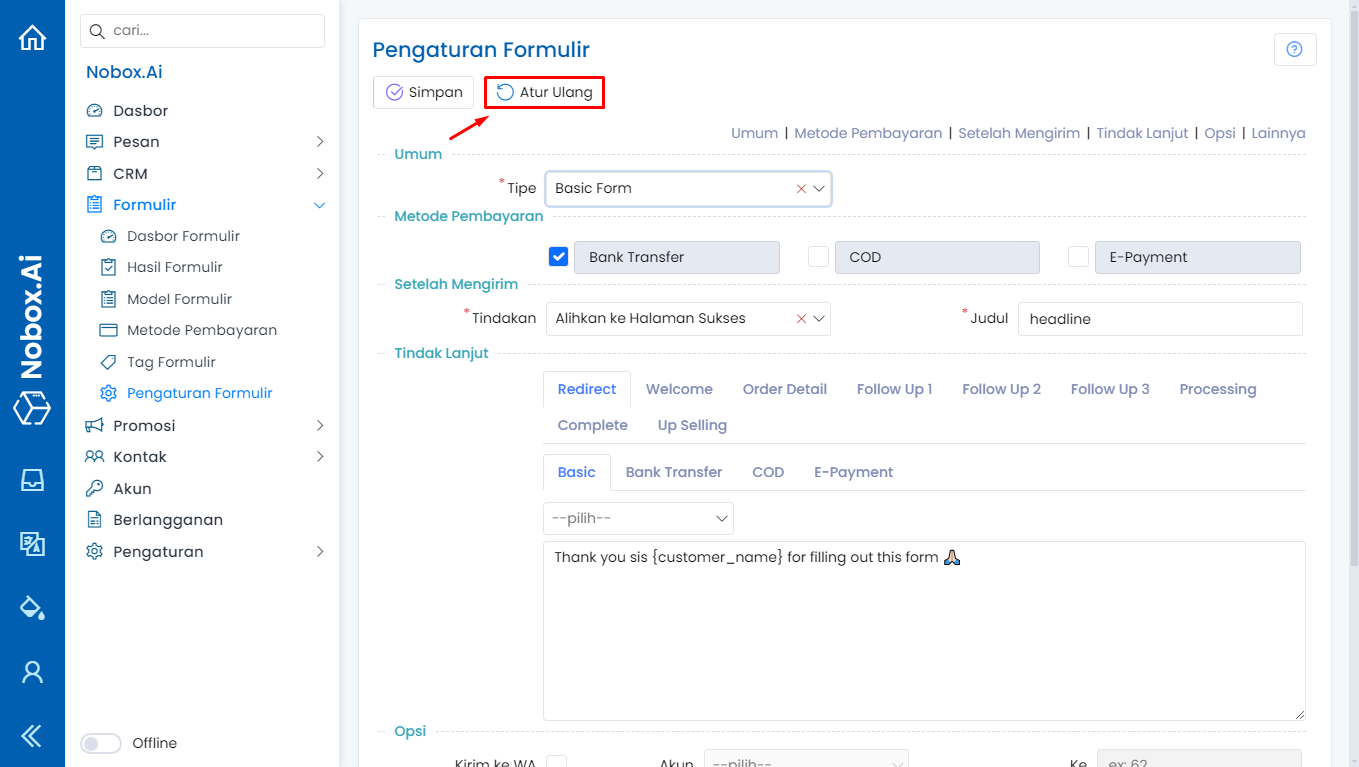
The form settings are a menu in NoBox that contains format settings for the form model menu.
.png)
In the Settings menu, there are several items, including:
1. General
Used to set the default form type options.
2. Payment Methods
Used to set the default payment methods.
3. After Submitting
Used to set the default view after submitting the form.
4. Follow Up
Used to set reply templates for form submitters.
5. Options
Contains form template settings.
- Send WhatsApp, Email, URL
Used to send notifications and follow up.
- Show Label, Recaptcha, Coupon
Used to display labels, recaptcha, and coupons.
6. Others
Information on the last settings modification.
If you make changes to the form settings data, click [Save] to save the newly changed data.
Check in the [Form Model] menu, click the [Add Form Model] button, you can see in the input section the form model automatically conforms to the form settings.
Reset
Reset is a feature used to revert all settings that have been changed.
If you have any issues or difficulties related to Nobox.Ai, please contact us through Support Ticket