Task Categories
The Task Category is a menu on Nobox.Ai used to classify task data.
Add Task Category
To add category data, click the [CRM] module, go to [Tasks]➔[Category]➔[Add Task Category], and the [Add Task Category] dialog will appear.
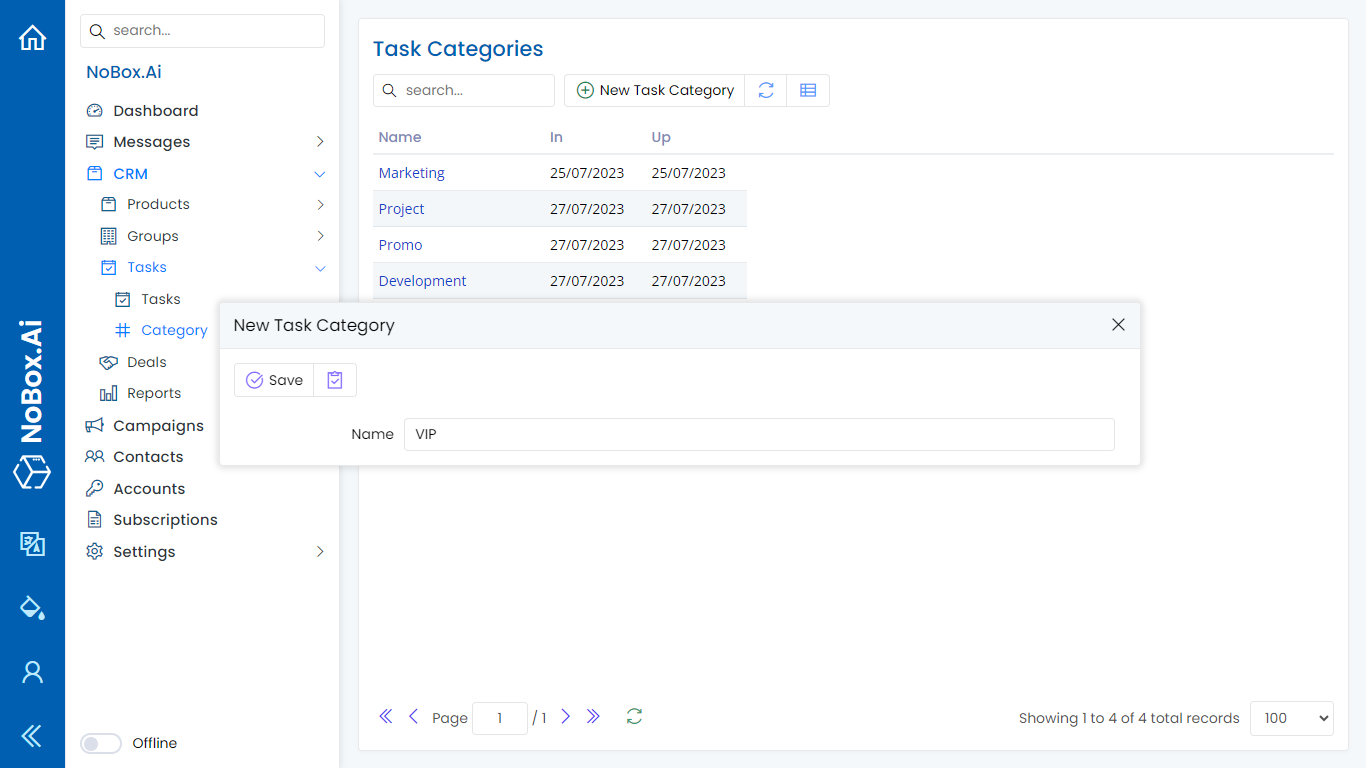
Complete the necessary fields, for example as follows:
| Entry | Description | Example |
|---|---|---|
| Name | Category Name | VIP |
If you have completed the input fields, click [Save] to store the new task category data you just created.
Edit and Delete Task Category Data
To edit a category data, please select which data you want to edit first. Make your changes and click [Save] to save the modifications.
To delete a category data, select the data you wish to remove, then click [Delete]. A confirmation dialog will appear asking if you want to delete the data. If yes, click [Yes]; otherwise, click [No].
How to Use Task Category
1. Open the [Tasks] menu, select an existing entry or add a new task.
2.Click on the entry field in the category column, and the previously created categories will appear.
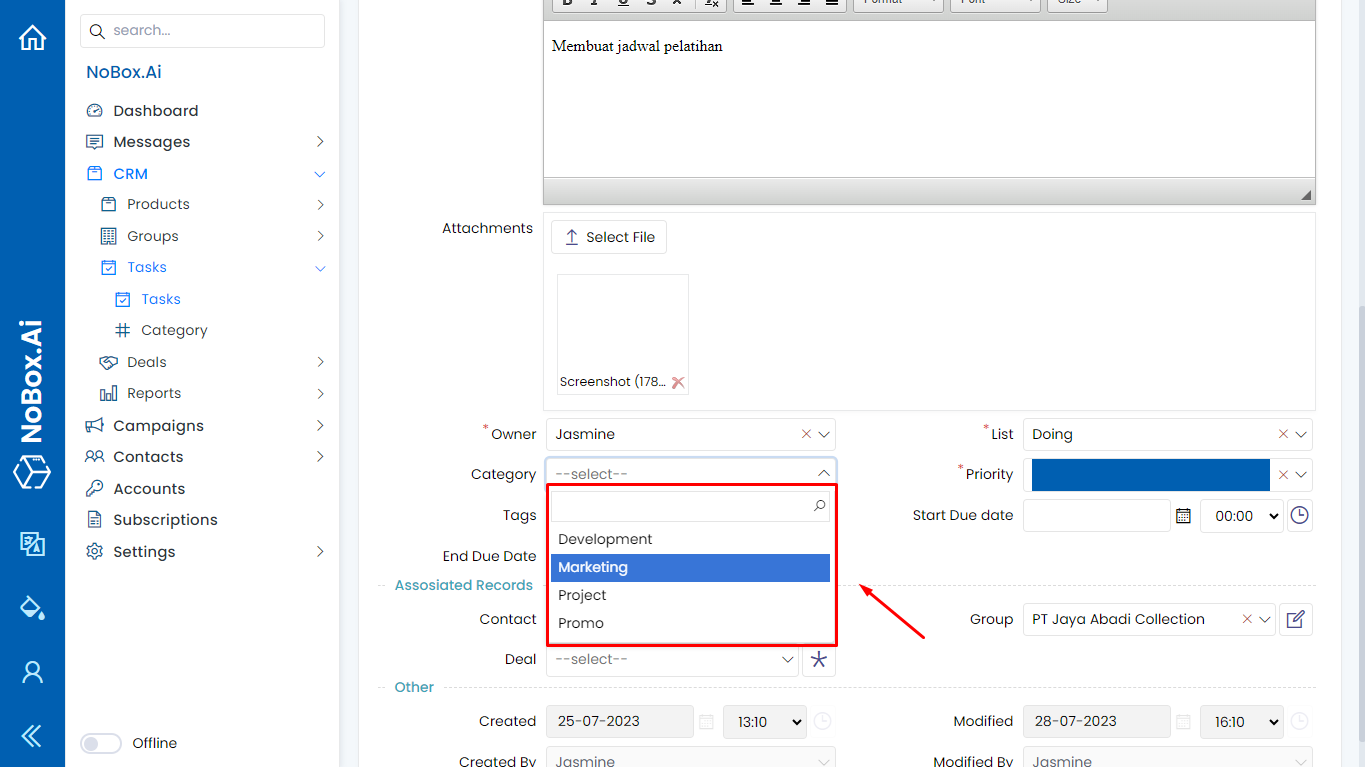
3. Choose one of the data categories and click [Save] to save the task data again.
If you encounter any problems or difficulties related to Nobox.Ai, please contact us via Support Ticket