Contact Dashboard
The Contact Dashboard is one of the menus on Nobox.Ai that provides a summary of activity information related to contacts and helps you make decisions.
To open the Contact Dashboard, click the [Contact] module, then click [Contact Dashboard].
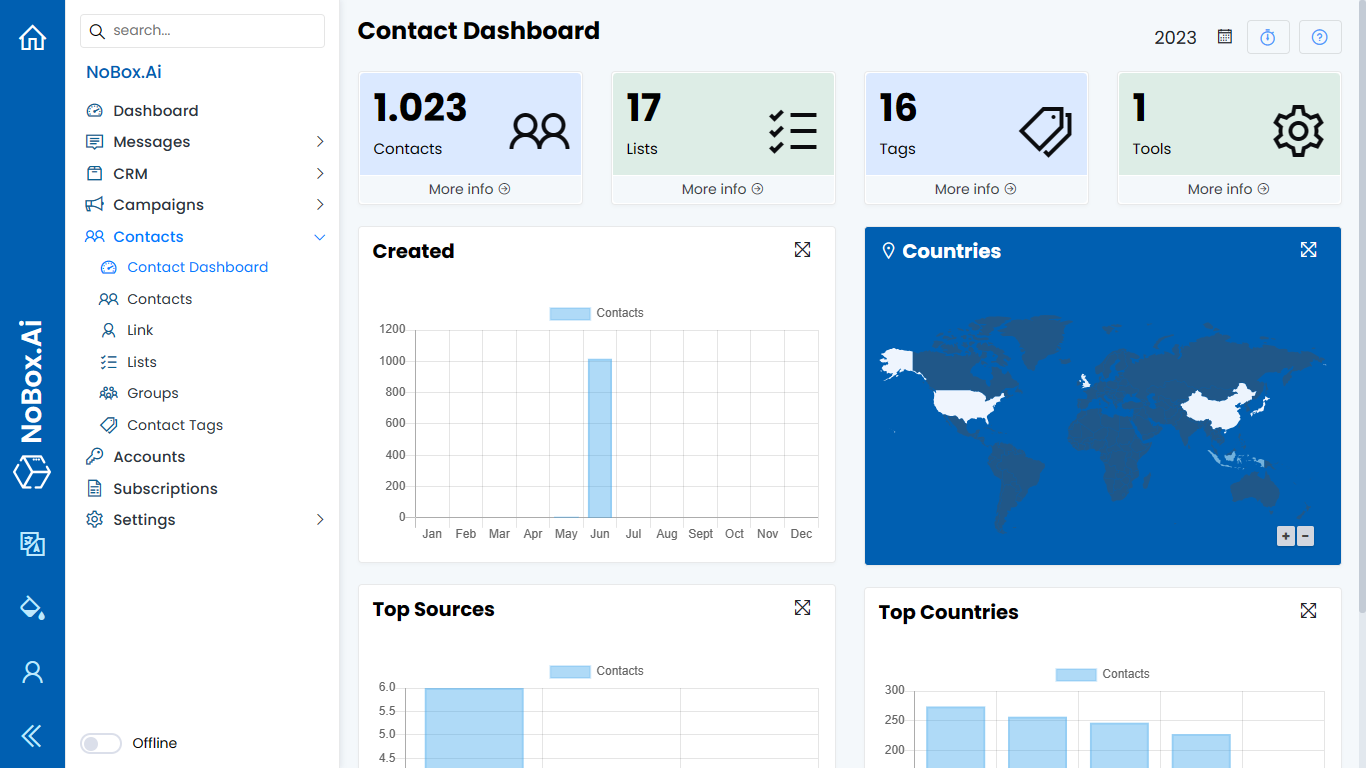
In the display, there are several sections, each with its own function. The explanation of these functions is as follows:
| Feature | Function |
|---|---|
| Contacts | Total contact data from extraction results |
| List | Total data list |
| Tag | Total data tag |
| Source | Total data source |
| Made | Information on Total Contacts by Month |
| Country | Information on total contacts and data display on maps according to contact location. |
| Top Sources | Contact information from the most abundant source. |
| Top Country | Information on the total number of contacts from the country with the highest amount. |
To view detailed data from the information, you can click on the chart. Then the contact data based on the selected chart data will be displayed.
If you have any issues or difficulties related to Nobox.Ai, please contact us through Support Ticket